Per-period rent price changes and 4 more updates
v1.7.4 brings per-period rent price control without affecting history. Plus 4 more updates: notes to tenants, property descriptions, per-property phone numbers, and accrual reporting mode.
This update bundles v1.7.3 + v1.7.4 — the main focus is per-period rent price control, plus 4 more updates that improve how you communicate with tenants and read your reports.
Per-period rent price changes
You can now change rent prices with per-period precision — the new price only applies to the period you choose, and your payment history and past period reports stay intact.
A. Apply from a specific period onward
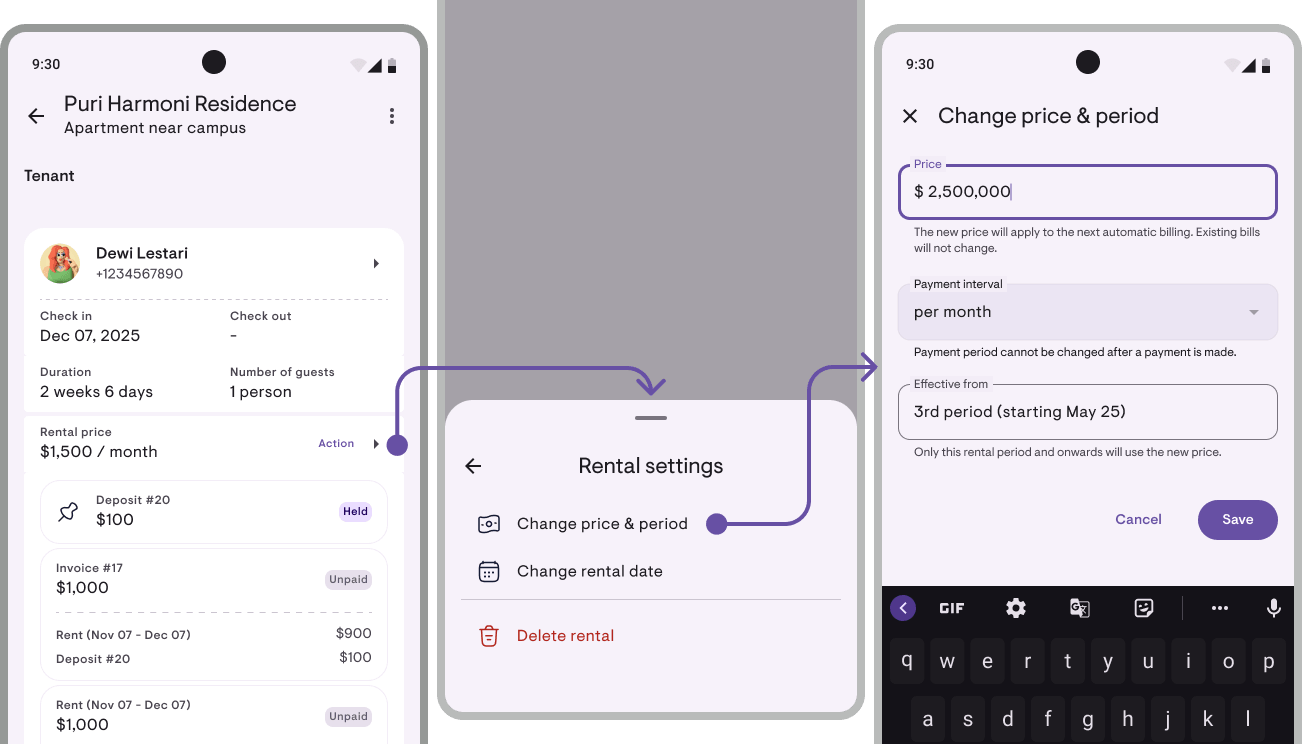
Open Actions → Change rent & period → enter the new amount + select “Apply from period N” in the dropdown. Defaults to the current period. Good for annual rent increases or cost adjustments.
B. Override just one period
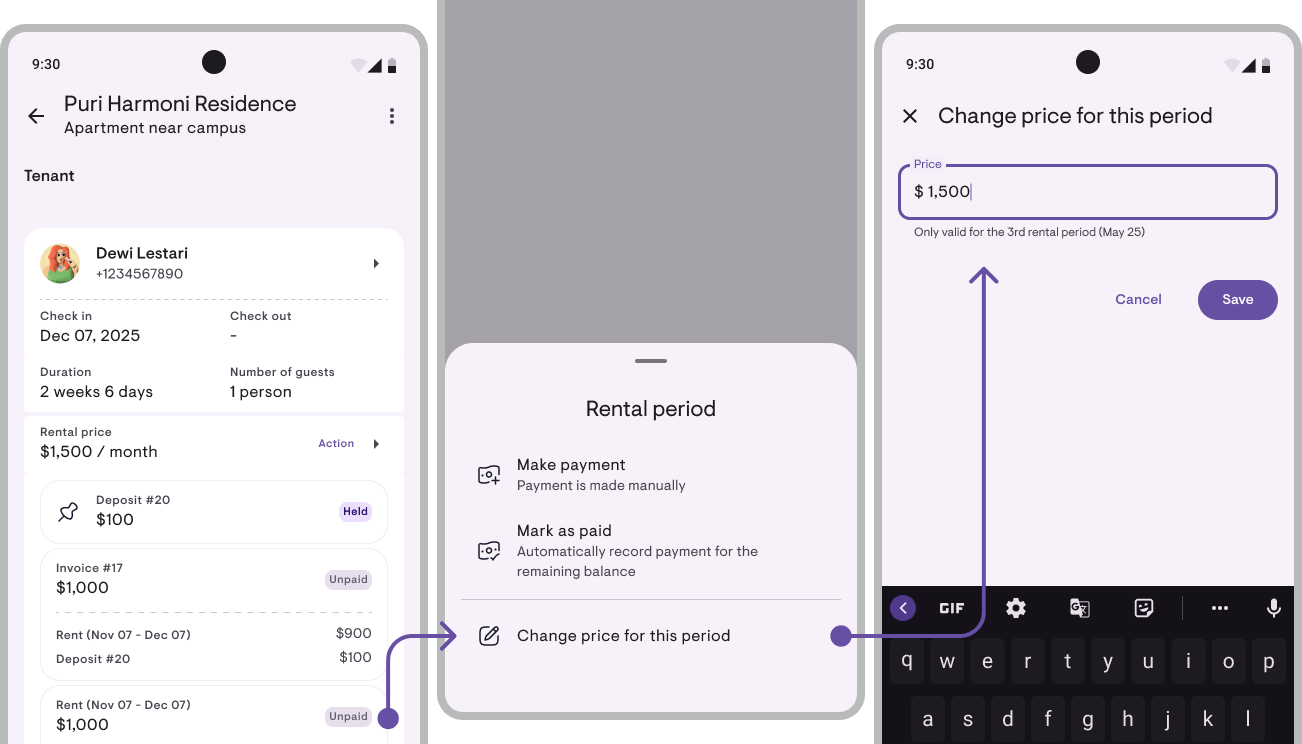
Tap a Rent period row on the obligation card → Change this period’s price. Good for a one-month Eid discount or specific compensation without affecting other periods.
Periods that already have payments are auto-locked — menu disabled, field read-only, save guard re-checks on Save. Your existing payment records stay accurate.
Notes for tenants on receipts
When recording a payment, you now get two separate notes fields: Notes for tenant (printed on the receipt PDF you share) and Internal notes (only you see them).
Notes for tenants work well for thank-you messages or context. Internal notes work for your own reminders. They appear in Record payment, Edit payment, and Add Tenant — both optional, max 200 chars, multiline.
Short descriptions for properties & rooms
Each property and room can carry a short description (max 100 chars) you can optionally print on PDF documents — e.g. “Female boarding house near campus” on a property, “AC, ensuite bathroom” on a room.
Tick “Show description on documents like receipts” → it appears on payment receipts, invoices, and deposit refund proofs. Off → it only serves as a subtitle in the detail screen’s app bar — internal only.
Per-property phone number
Each property can now carry its own contact phone — useful when you have different managers per location or want to separate business numbers from personal.
Set it up in Add/Edit Property step 2 (master toggle + a “Same as registered account phone” option). The number shows up on PDF documents (receipts, invoices, deposit proofs), in the WhatsApp invoice message, and on the property profile. Change your account phone in Profile → every property still set to “same as account” auto-syncs.
Accrual mode in financial reports
The Dashboard + Financial Report now have a Cash / Accrual toggle in the filter row.
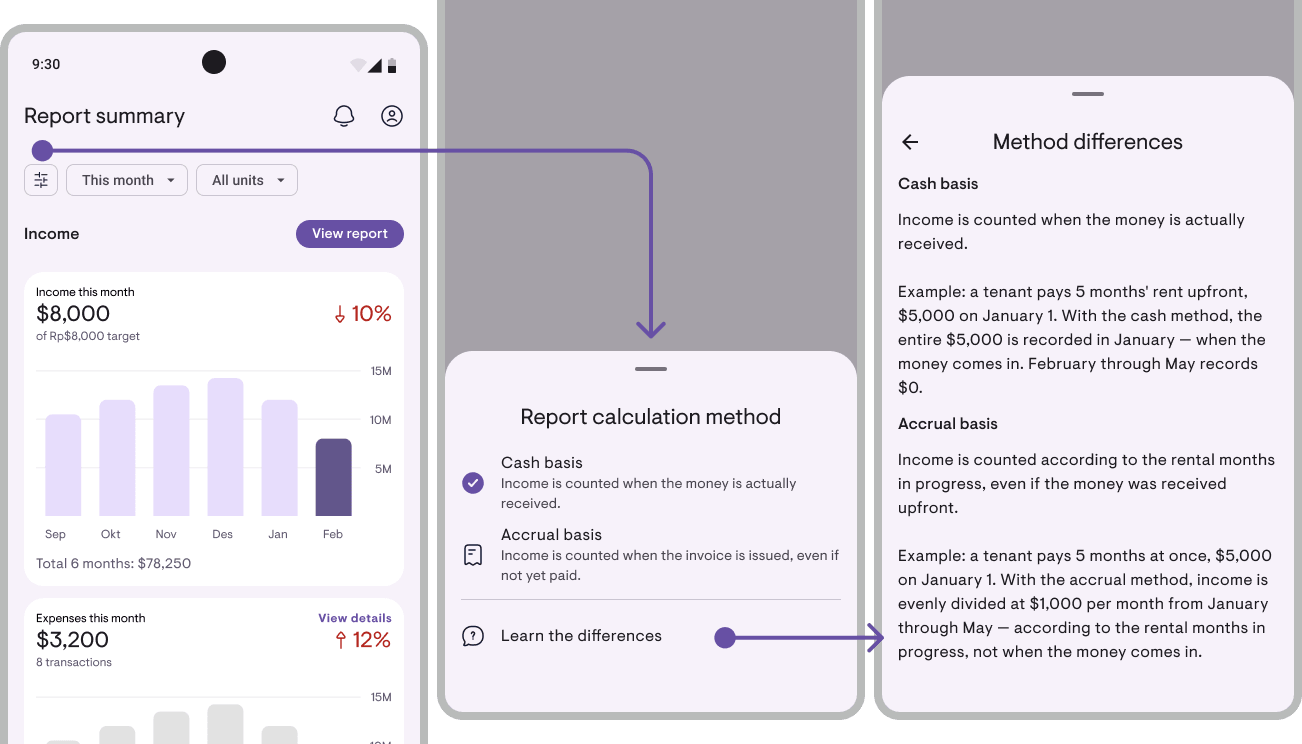
- Cash (default) — income counted when money actually arrives
- Accrual — income counted as it’s earned, over the rental period
Example: a tenant pays 6 months upfront in January. Cash mode → January spikes at $6,000, February–June at $0. Accrual mode → each month evenly counts $1,000 across the stay. Good for month-to-month comparisons (apple-to-apple) or understanding what’s truly “earned” per month regardless of when it was paid.
What follows the toggle: dashboard income + Financial Report. What stays cash-pinned: Cash Flow, Balance Sheet, Transaction History. An “Accounting method differences” explainer is available via the (i) icon in the report header.
A small ad~
Kamaru is built by a small team, self-funded, no investors. We’re competing against big apps with much bigger marketing budgets. One thing that really helps us: leave a rating.
It only takes 20 seconds. Seriously, we timed it. And we’ll remember you fondly for the rest of the week.
You can now rate us directly from within the app — tap Rate Kamaru on your profile page.
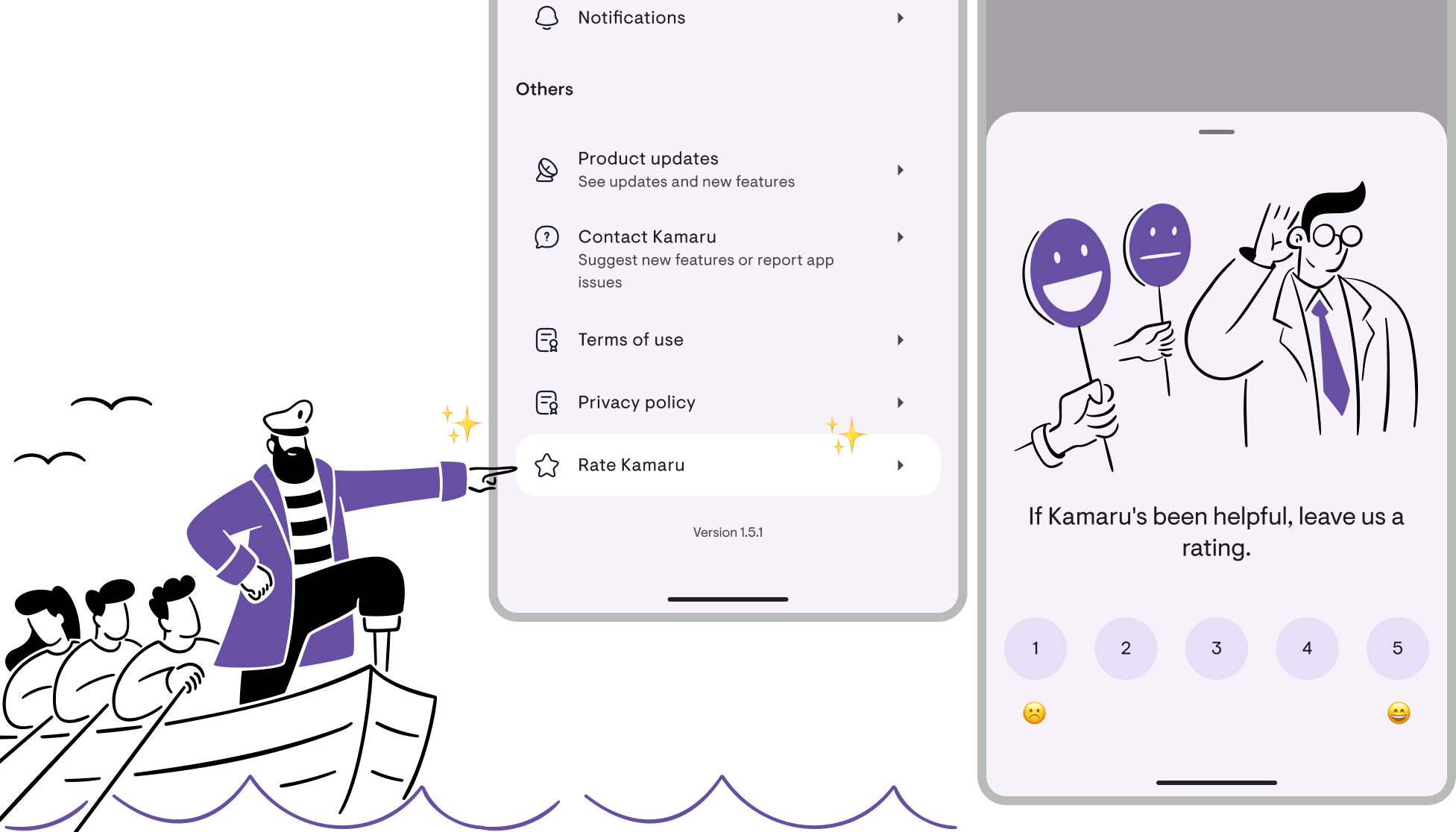
Thanks to everyone who’s already left a rating — you’re the real MVP!
— Bregga / founder Kamaru
Have questions or feedback? We'd love to hear from you. Email us.

Start managing for free today
Join other landlords who are already using Kamaru to manage their properties.

