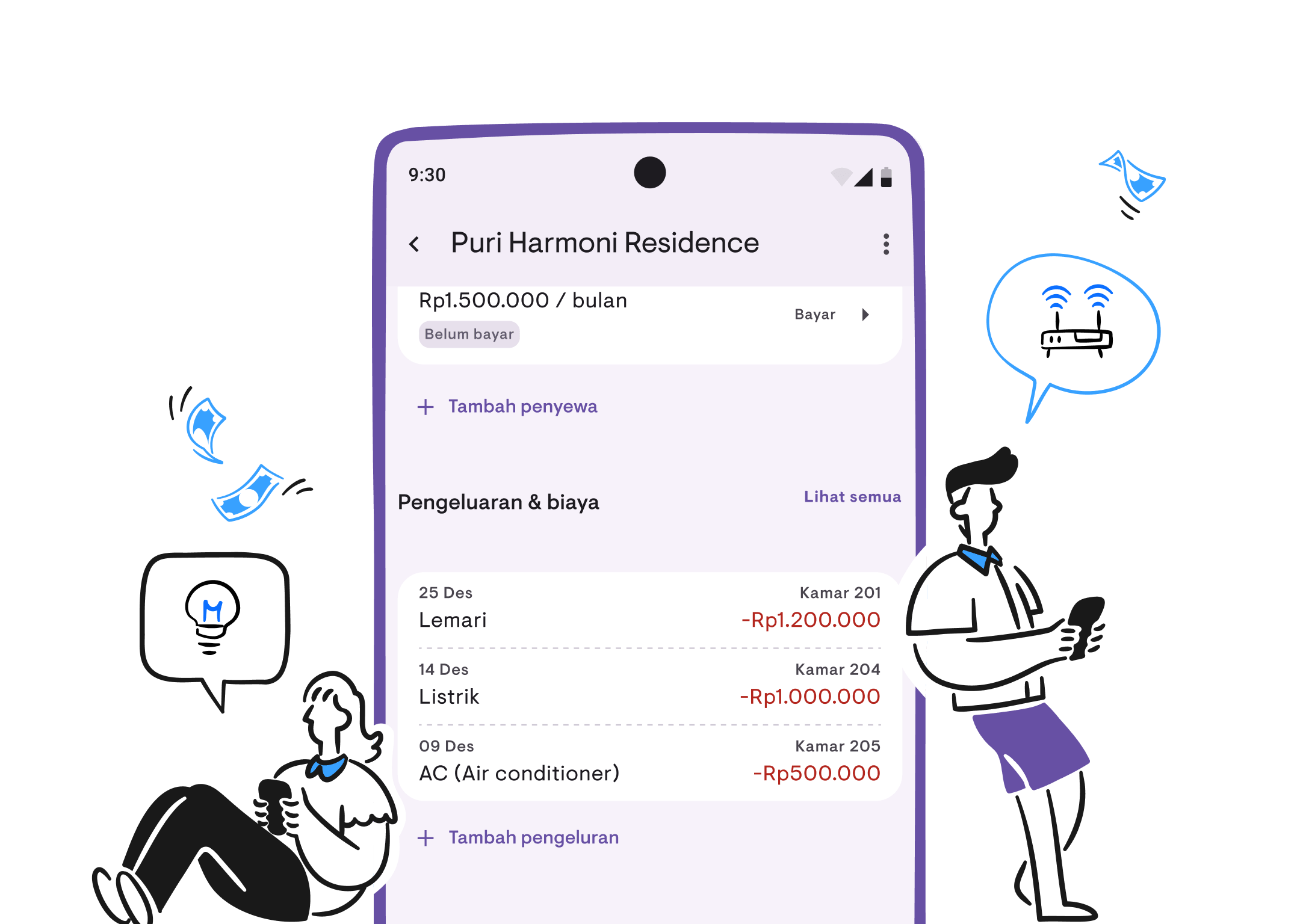
Track expenses, know your net income
Record property expenses, view expense reports, and know your net income. Expense Tracking is now available in Kamaru.
Know how much income you made this month? Sure. But do you know how much you spent? Electricity, water, repairs, maintenance — it’s all either tracked manually or not tracked at all. So you never really know your net profit.
That’s why we’re happy to introduce Expense Tracking, now available in Kamaru.
Record expenses
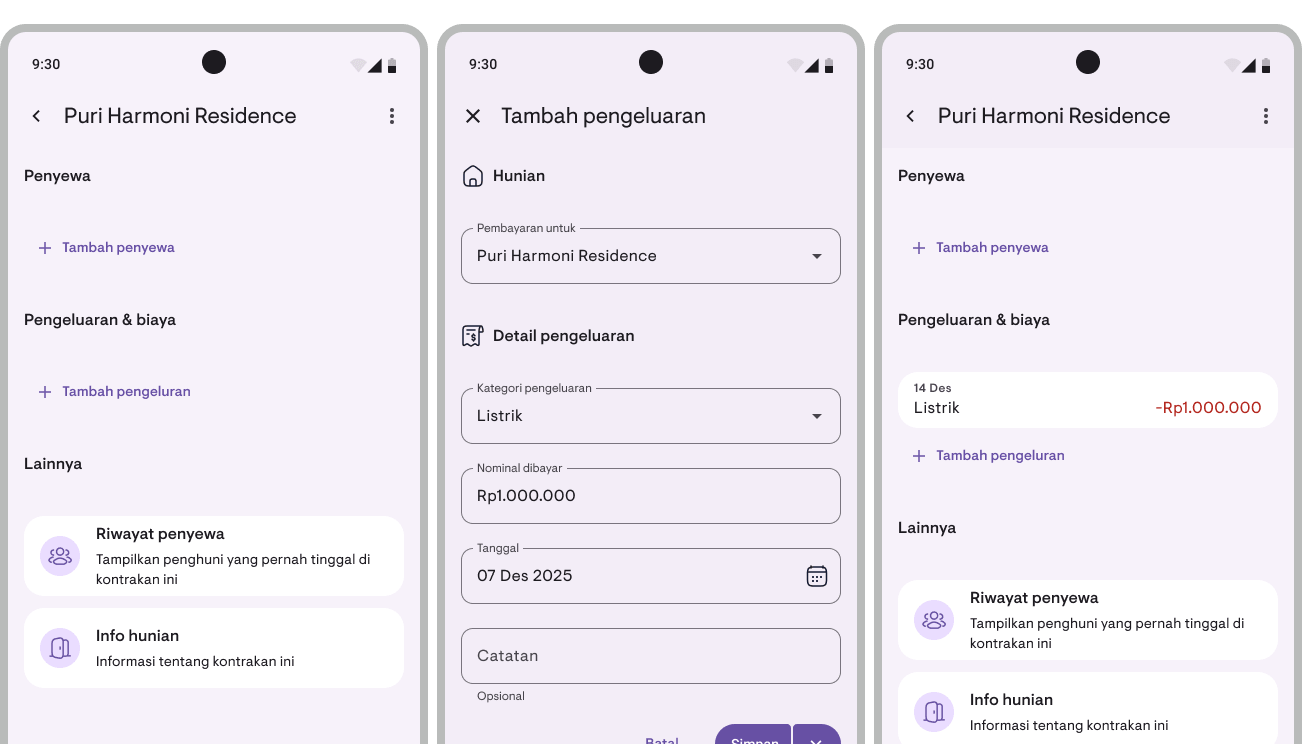
Record all your property expenses directly in Kamaru. Each expense can be linked to:
- Property — Expense for a specific property
- Room — Room-specific expense (optional)
- Category — Choose from 30+ built-in categories or create your own
- Amount, date, and notes — Fill in details as needed
Need to record multiple expenses at once? Use the Save & Add Another button to keep the form open after saving.
30+ built-in categories
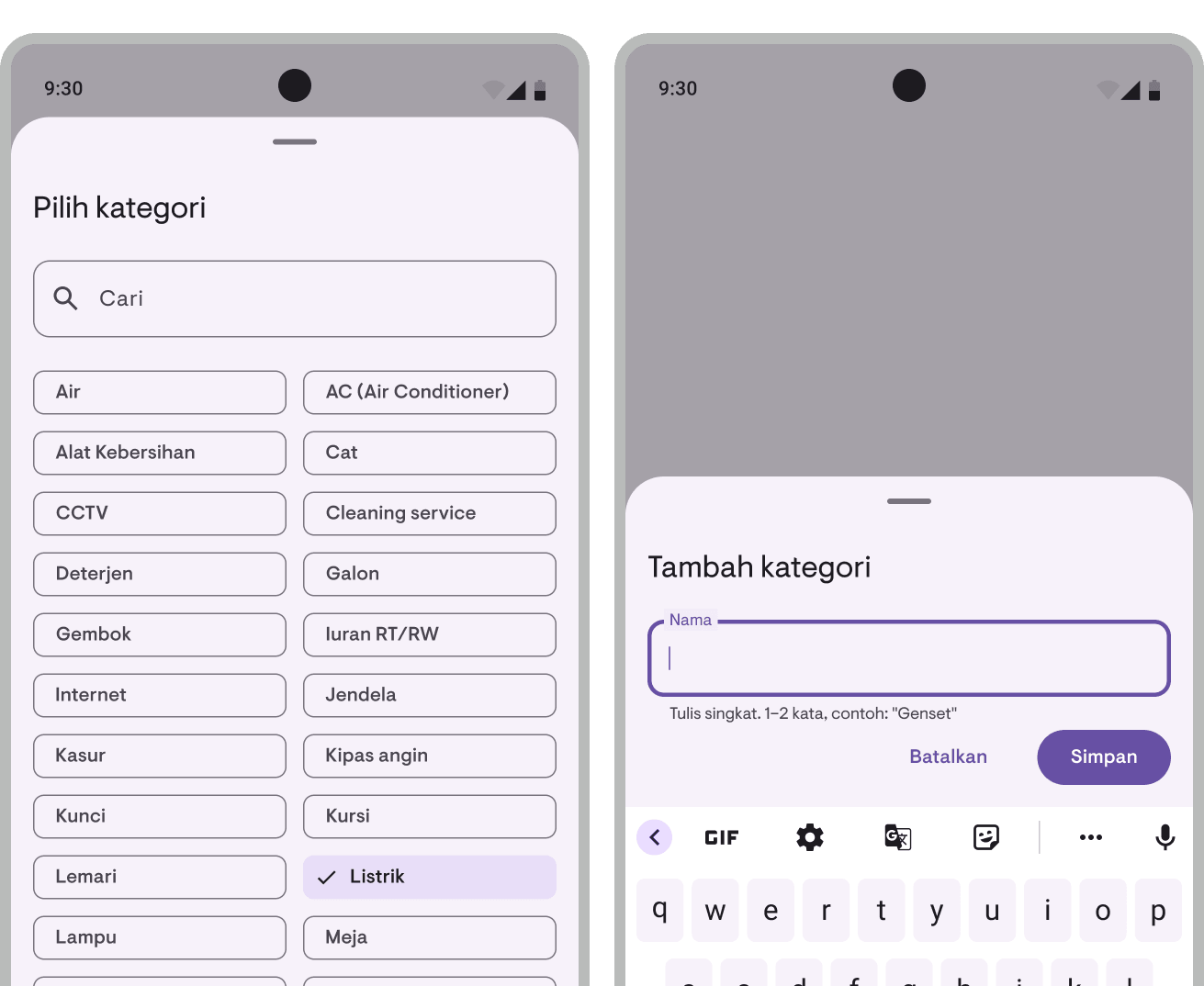
No need to create categories from scratch. Kamaru comes with 30+ categories commonly used by property owners:
Electricity, water, AC, internet, repairs, paint, labor, security, taxes, and many more.
Need a custom category? Just add a new one anytime. You can also rename or delete categories you don’t need.
Expense list
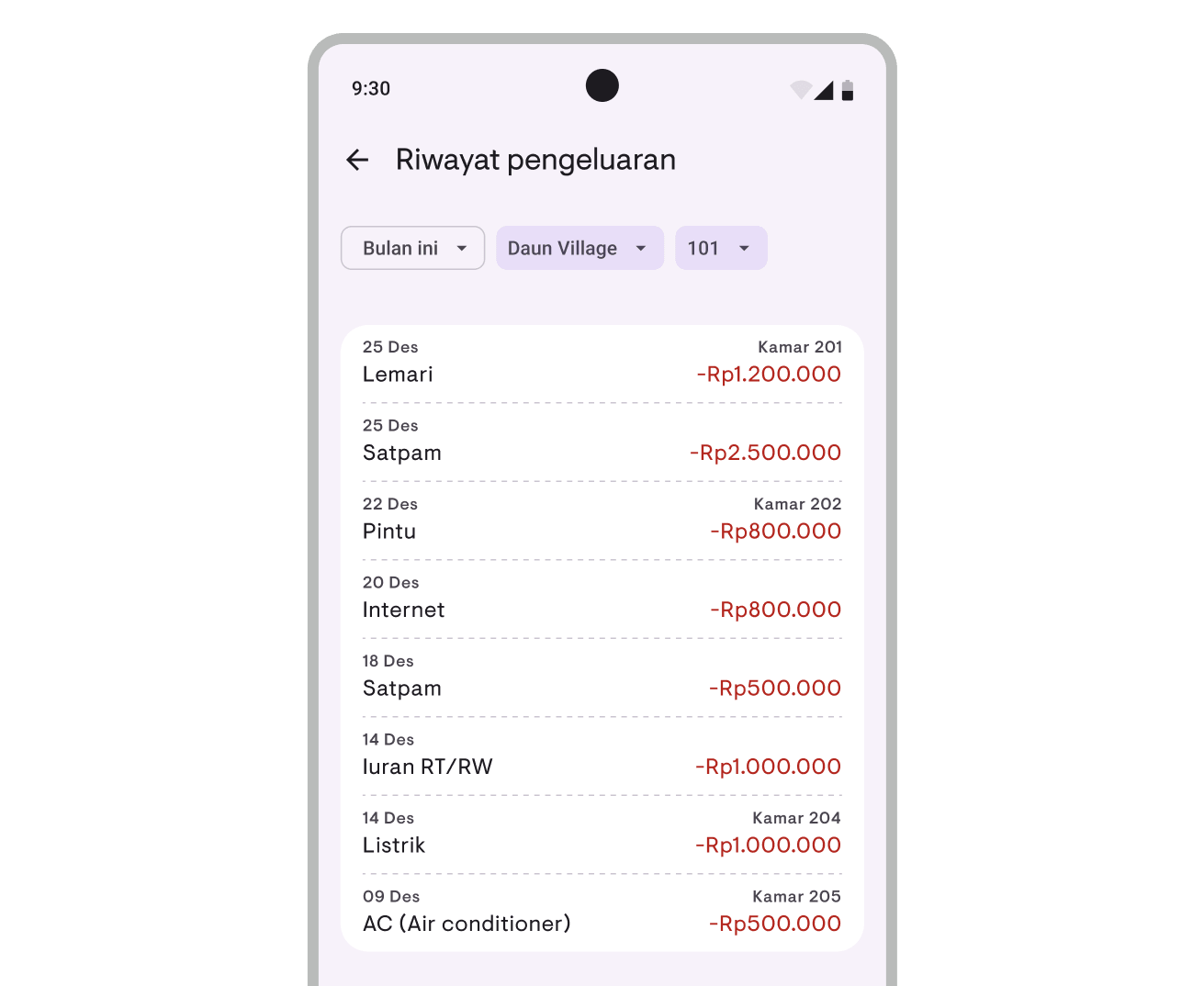
View all your expenses in a single filterable list:
- Period — This month, 3 months, 6 months, or 1 year
- Property — All properties or a specific one
- Room — All rooms or a specific one
Tap an expense to view details, or long-press to edit, duplicate, or delete.
Expenses in Report Overview
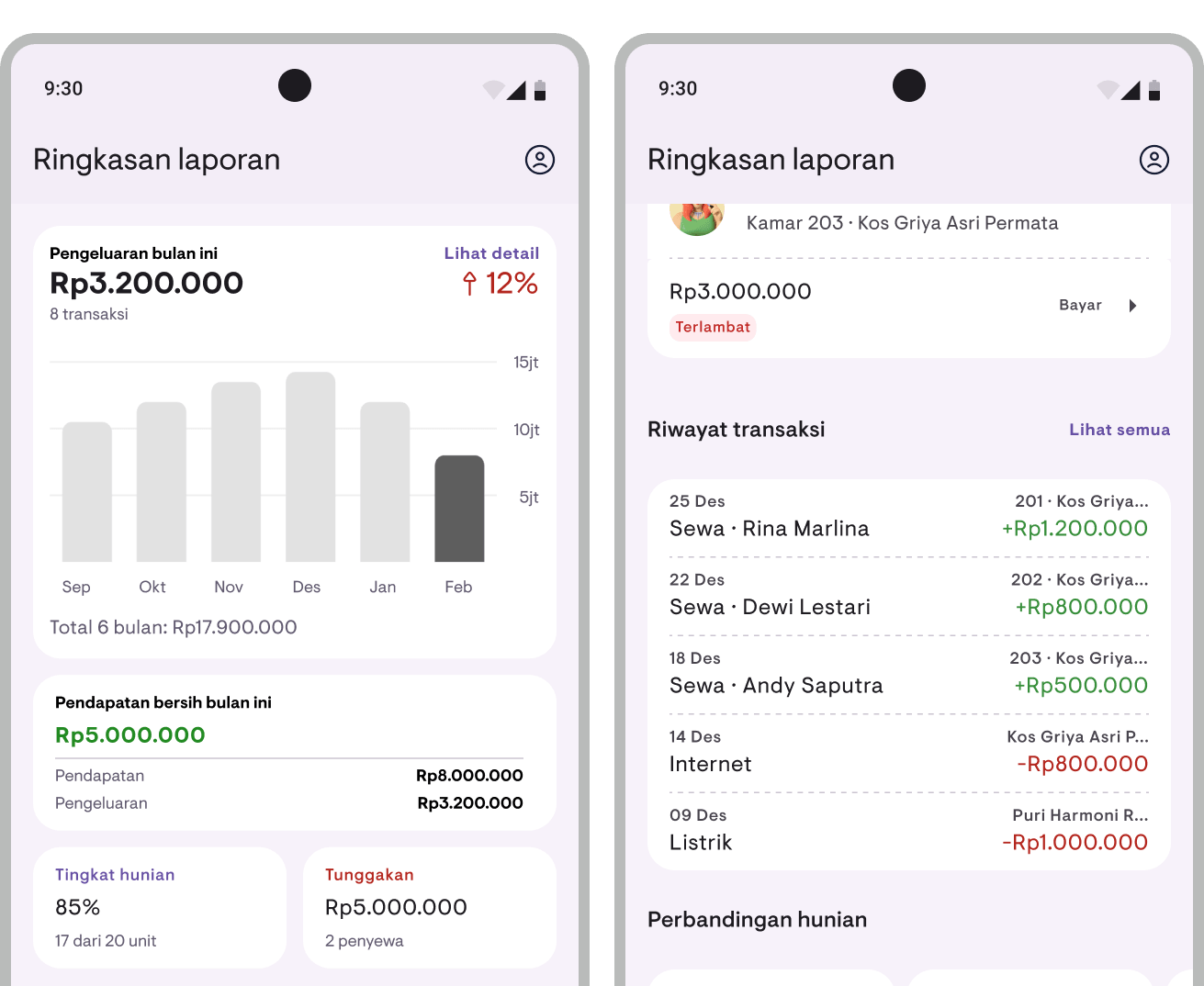
Expenses now also appear in the Report Overview:
- Total expenses — Total expenses for the current period with a bar chart showing 6 or 12 months’ trend, plus period-over-period comparison
- Net income — Income minus expenses, instantly see profit or loss
- Property comparison — Now shows expenses and net profit per property
Cash flow report
The cash report is now the Cash Flow Report with more detail:
- Mixed transactions — Income and expenses in one list, sorted newest first
- Type filter — Filter by “All”, “Income”, or “Expenses”
- Summary — Total income, total expenses, and net balance
PDF and CSV export
All reports that include expense data can be exported:
- Financial Report — Now includes expense breakdown by category and net income
- Cash Flow Report — Includes all income and expense transactions
Export format stays the same — PDF ready to print and CSV for spreadsheet analysis.
Available now
Expense Tracking is available in the latest version of Kamaru for Android and iOS. All expense recording and reporting features are available for Pro users. Free users can preview reports with sample data.
Update your app now!
For a complete guide on how to use expense tracking, see the Expense Tracking user guide.
Have questions or feedback? We'd love to hear from you. Email us.

Start managing for free today
Join other landlords who are already using Kamaru to manage their properties.

