New Invoice system! Plus deposits, down payments, and 8 more updates
v1.7.0 introduces Kamaru's new Invoice system. Plus Deposits and Down payments now stand on their own, and 8 more updates.
v1.7.0 introduces new systems for Invoices, Deposits, and Down payments — plus 8 more updates.
Invoices: formal documents for your tenants
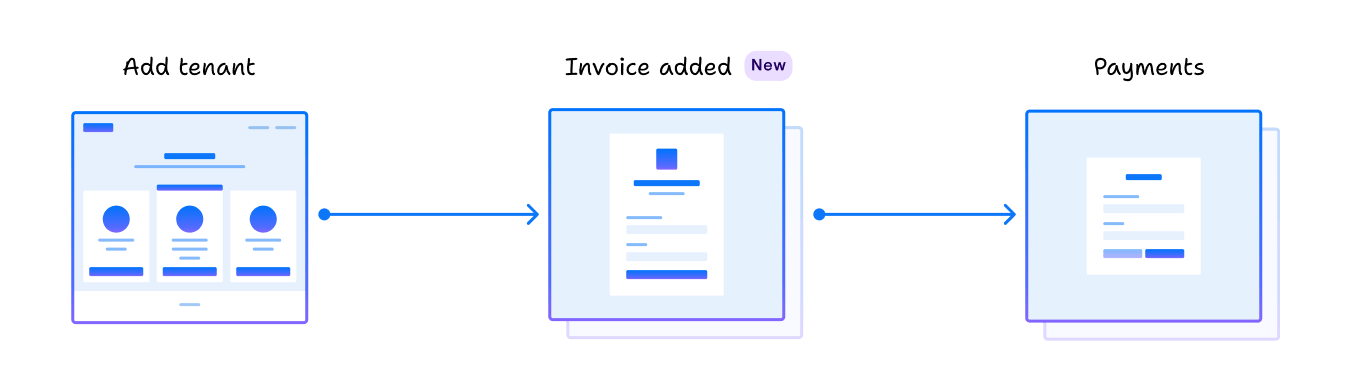
New tab in tenant details. You can now create formal invoices whenever you need them — to send to a tenant, attach for tax filing, or keep for your records. Your primary records still live in lease + payments; invoices sit on top as documents.
What’s new:
- Record payments directly from the lease. No need to create an invoice first. Enter the amount + date, and the system handles the allocation.
- Payments auto-cascade. Each payment splits automatically: DP first until covered → Deposit until covered → the rest to Rent. Reports stay accurate per category.
- Formal invoices on demand.
+ Invoiceon the tenant’s Invoices tab: pick items (Rent for period X / Down payment / Deposit / Extra), save, share. For formal documents, not every month. - Smart mark-as-paid. Calculates the actual remaining balance, including any existing payments from before this update.
- “Invoices” tab in the tenant detail: all formal invoices you’ve created, with real-time status (Unpaid / Partial / Paid / Overdue).
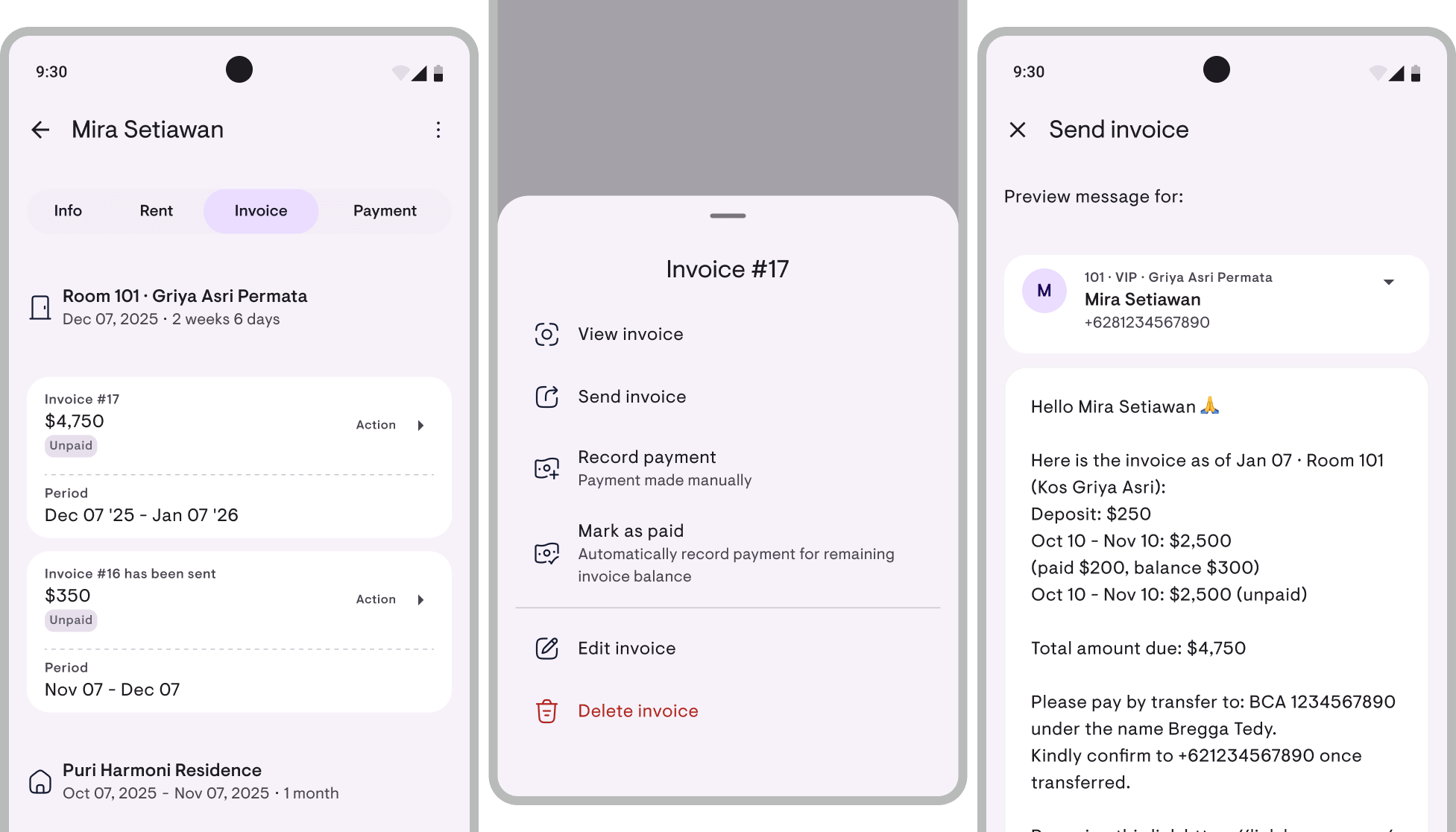
Send invoices via WhatsApp or email
Actions › Send invoice → message auto-prepared from a template. Share to WhatsApp (opens chat to the tenant’s number with the text pre-filled), Email, Copy, or Others. Plus every invoice can be exported as a formal PDF to attach separately.
Deposits: handled as a liability (held funds)
Proper accounting treatment. Plenty of owners panic when a tenant checks out and asks for their deposit back — the root cause: deposits easily get mixed with income. Kamaru now handles the deposit cycle with the right category:
- Receive deposit → recorded as “Deposit held” (a liability), not income.
- At checkout, deduct for damages or unpaid rent — each deduction has an amount + note + date. The deducted portion becomes income at that point.
- Refund the remainder → recorded as cash out.
- Deduction proof PDF can be shared directly with the tenant.
The effect is real: the profit you see in your reports is actual profit (not inflated by deposits you’ll eventually have to return), and the Balance Sheet shows exactly how much you’re holding.
Down payments: a separate obligation on the lease
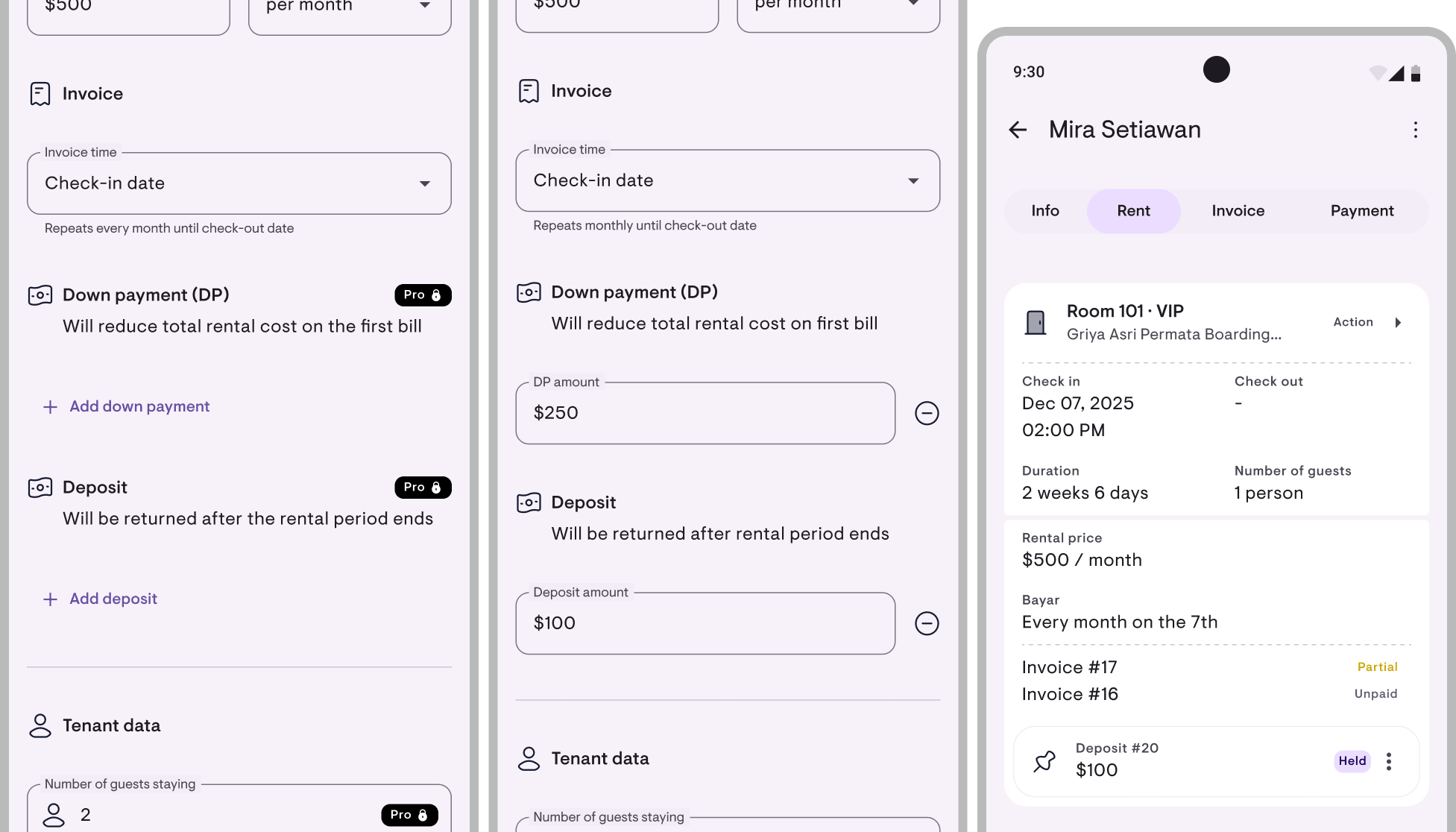
DP has its own place now. Down payments (DP) are now a separate obligation on the lease — no longer folded into regular rent payments.
- Dedicated “Down payment” section when adding a tenant — enter the DP directly on the lease, no need to calculate it as part of the first month’s rent.
- Payments auto-allocate to DP first. When the tenant pays, the system fills the DP obligation before Deposit/Rent — no more miscategorized payments.
- In reports, DPs stand alone — the Cash Flow report shows “Down payment” as a cash source distinct from “Rent”.
- When you create a formal invoice, DP gets its own line (not mixed with rent).
The result: three concepts that often get tangled in manual records — rent, DP, and deposit — now each stand on their own.
Financial reports: rebuilt too
With Invoices and Deposits restructured at the foundation, the reports dashboard changed too: 3 separate reports + Transaction History + custom date range filter.
Financial Report
P&L-style: target revenue, collected, outstanding, collection rate, expenses by category, net income, occupancy, per-property breakdown. Plus two new sections:
- AR aging — buckets: not yet due / 0–30 / 31–60 / 61–90 / 90+ days. Finally know who’s been overdue the longest.
- Liabilities (Deposit held) — appears when there’s an active deposit (derived from the Deposit change above).
Cash Flow Report
New report. Specifically for tracking money in and out:
- Cash in by source: Rent / Down payment / Extra / Deposit deductions / Deposit held
- Cash out by expense category + Deposit refunds
- Net cash computed automatically
- Filter by type, month, property
Good for reconciling against your bank statements.
Balance Sheet (Financial Position)
Another new report. A snapshot of where you stand today — total deposits you’re holding, with breakdown per tenant.
Transaction History
New screen. A flat list of all transactions without summaries, with filters for type / period / property. Good for line-by-line cross-checks or audits.
Custom date range filter
Beyond “This month” / “1 year”, you can now pick a custom date range (e.g. March 15 – April 14). Useful for accounting cycles that don’t line up with calendar months.
Full export
Everything can be exported to PDF (A4) or CSV (Excel / Sheets).
These reports are Pro features. Free users see a preview with sample data.
Small improvements that help
- Quarterly invoices (3-month period) — payment periods are now complete: daily, weekly, biweekly, monthly, quarterly, 6-monthly, yearly.
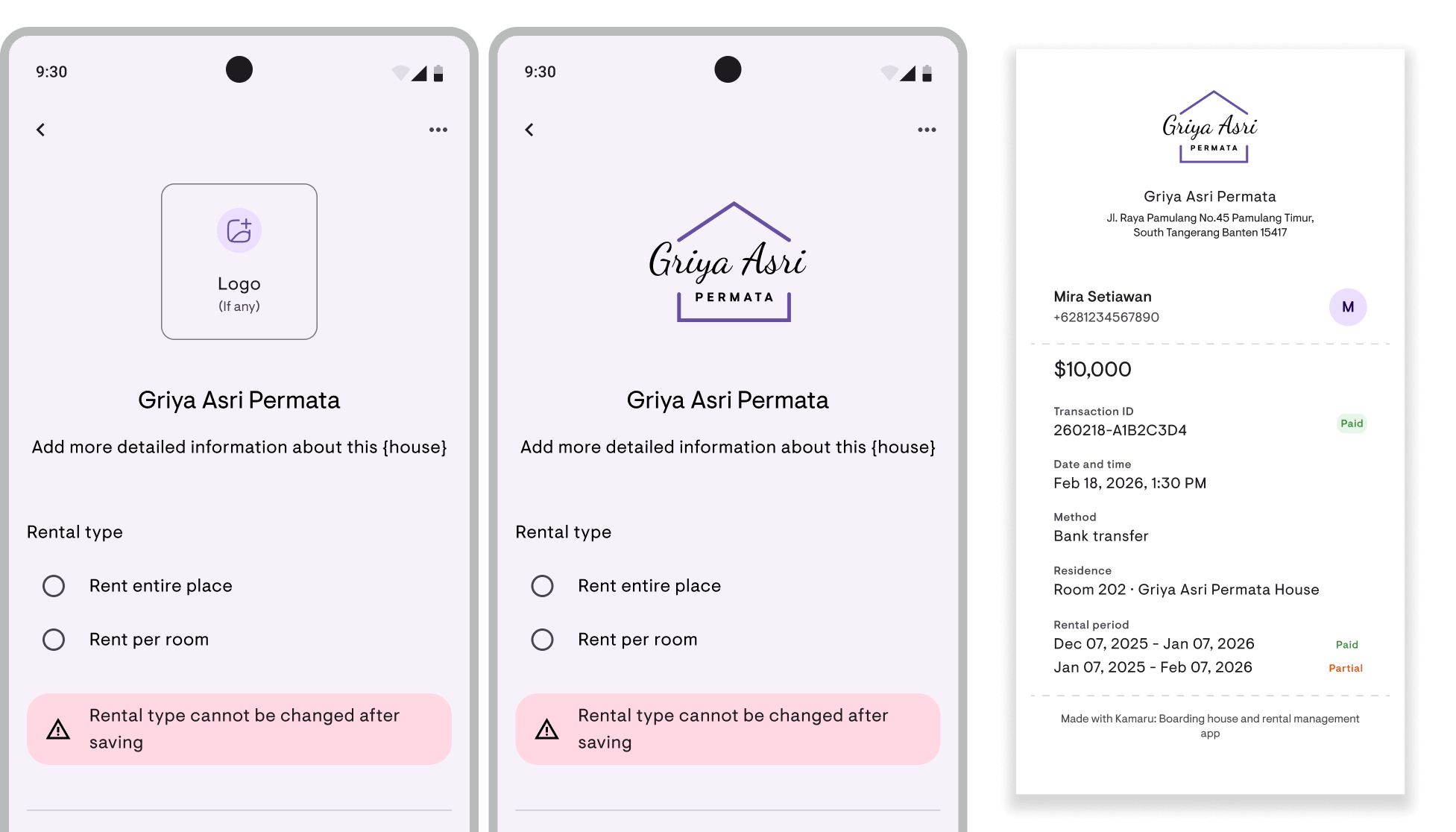
- Property logo on PDF documents — upload your property logo once, and it shows up automatically on invoices, receipts, and deposit refund proofs.
- Export occupancy calendar to PDF — Gantt-style per month or year, with a toggle for tenant names.
Under the hood
- iOS is now full Swift Package Manager (CocoaPods removed entirely). Faster builds, cleaner dependencies.
- Image compression rebuilt with the pure-Dart
imagepackage. Lighter, with correct output dimensions. - Plus hundreds of small polishes — from the
AddPaymentScreenlayout, to room number sorting that’s now natural (101<102, not the old lexical order).
A small ad~
Kamaru is built by a small team, self-funded, no investors. We’re competing against big apps with much bigger marketing budgets. One thing that really helps us: leave a rating.
It only takes 20 seconds. Seriously, we timed it. And we’ll remember you fondly for the rest of the week.
You can now rate us directly from within the app — tap Rate Kamaru on your profile page.
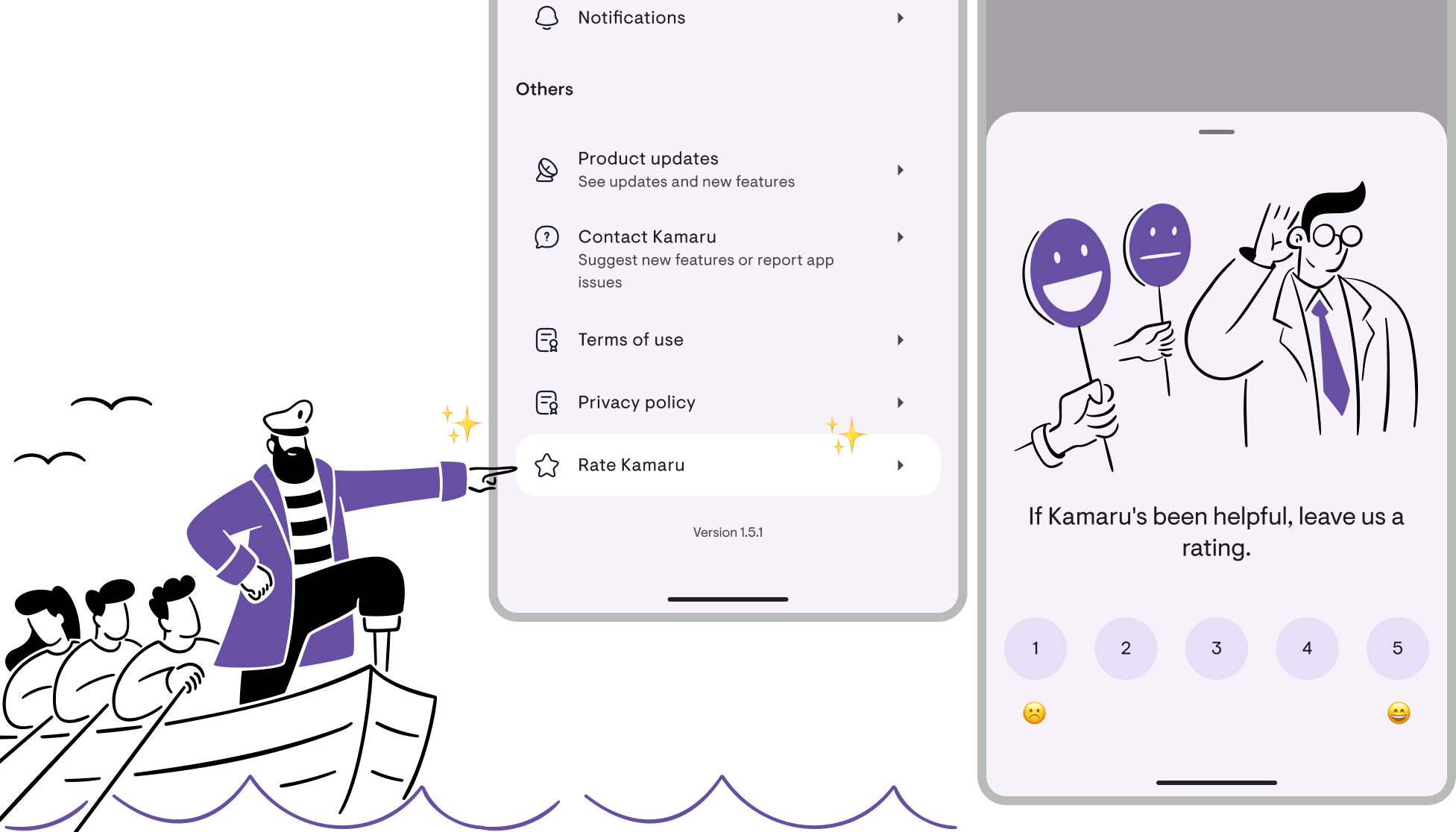
Thanks to everyone who’s already left a rating — you’re the real MVP!
— Bregga / founder Kamaru
Have questions or feedback? We'd love to hear from you. Email us.

Start managing for free today
Join other landlords who are already using Kamaru to manage their properties.

