Unpaid list, combined receipts, and 20+ smaller updates
v1.12.0 brings an unpaid list and a tenant list you can download, several receipts combined into one PDF, search on the Properties page, ID rescan, plus more than 20 smaller updates you asked for.
This update is mostly small things you’ve been asking for, plus two new features for the monthly routine: an unpaid list you can download, and receipts you can combine. Each one is small, but used every day, the difference adds up.
TLDR;
New
- Unpaid tenants report
- Current tenants report
- Combine receipts
- Import from Excel
- Rescan ID
- Face photo from ID card
- Search on Properties
- Additional charges per room
Improvements
- Upcoming tenants
- Payment status filter
- Collapse sections
- Rotate photos
- Workplace field
- Longer room numbers
- Excess amount
- Record as payment
- Delete a charge for good
- Staff last online
- Notifications in app language
- Plan renewal date
- Close messages
- And other fixes
Unpaid list
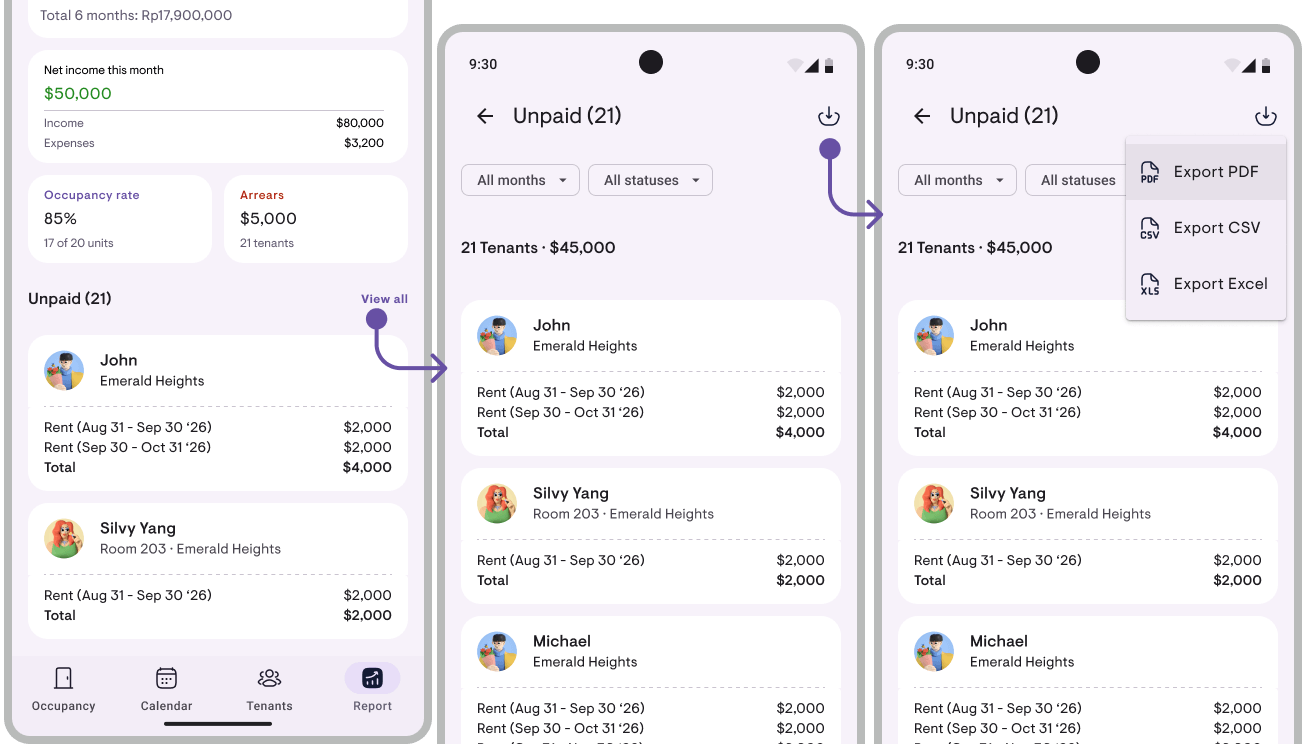
See who hasn’t paid yet, then download it as a PDF, Excel, or CSV file. Open the Reports tab, tap See all in the Unpaid section, then tap the download icon in the top right. It’s also under View report → Unpaid list. Available from Pro.
- Pick All months, or a single month up to 3 months ahead
- Show only Unpaid, or only Partially paid
- Partial payments say how much came in, for example “$50 of $150 paid”
- The downloaded file follows the filters in use
- On Report overview, the Unpaid total is now broken down line by line
Tenant list
Every tenant with their phone number, email, and check-in date, grouped by property. Open it under Reports → View report → Tenant list. Available from Pro.
- Pick Current, Upcoming, or Past tenants
- Past tenants show the date they moved out
- Other occupants are listed under the main tenant
- No national ID numbers or addresses, so it’s safe to hand to a laundry vendor or a collection team
- Download it as a PDF, Excel, or CSV file
Combine receipts
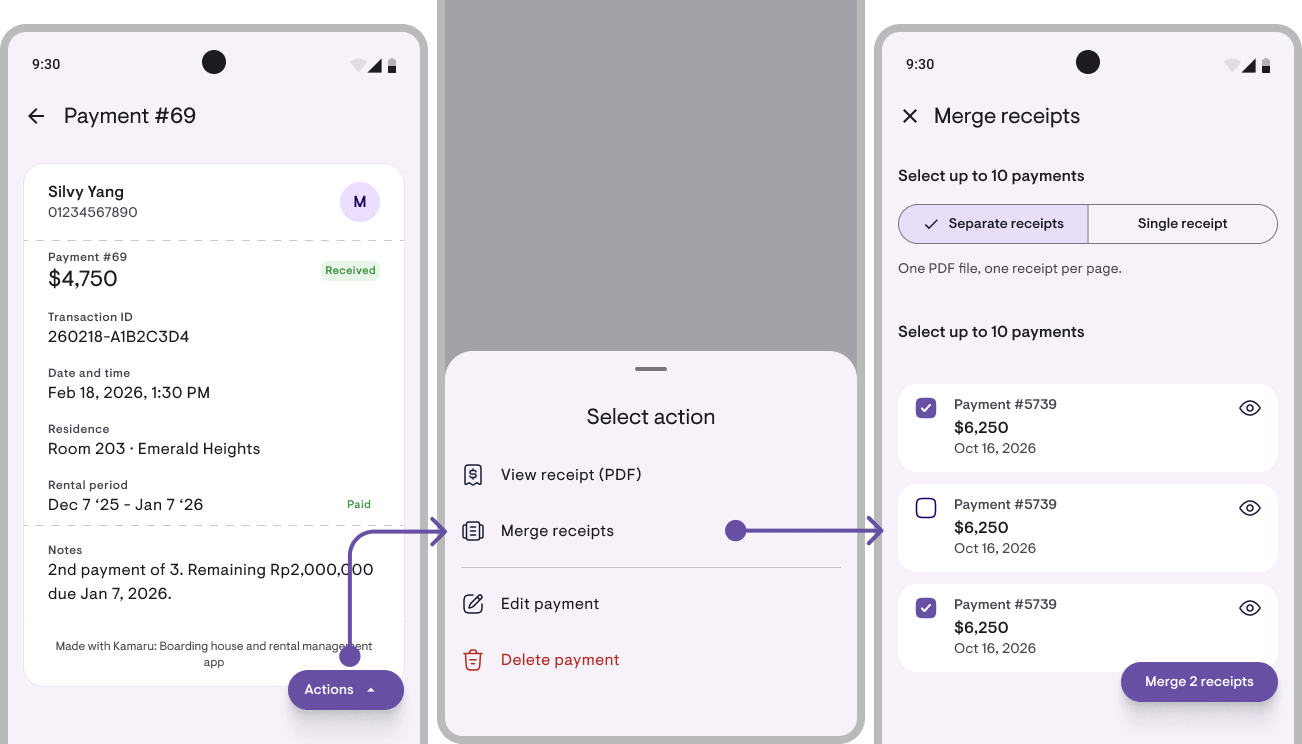
Combine 2 to 10 of one tenant’s receipts into one PDF. Open a payment’s detail, tap Actions, then pick Combine receipts. That payment is already ticked; tick the others, then tap Combine N receipts. Available from Pro, since it uses the A4 templates.
- Separate receipts: each payment gets its own receipt page, all in one PDF
- One receipt: every payment on a single receipt with one total. Made for one guest renting several rooms at once
- Tap the eye icon to check a payment’s detail before ticking it
- Also opens from the Pay tab on a tenant’s detail: tap the arrow next to + Payment, then pick Combine receipts
- Works across several rooms rented by the same tenant
Search on the Properties page
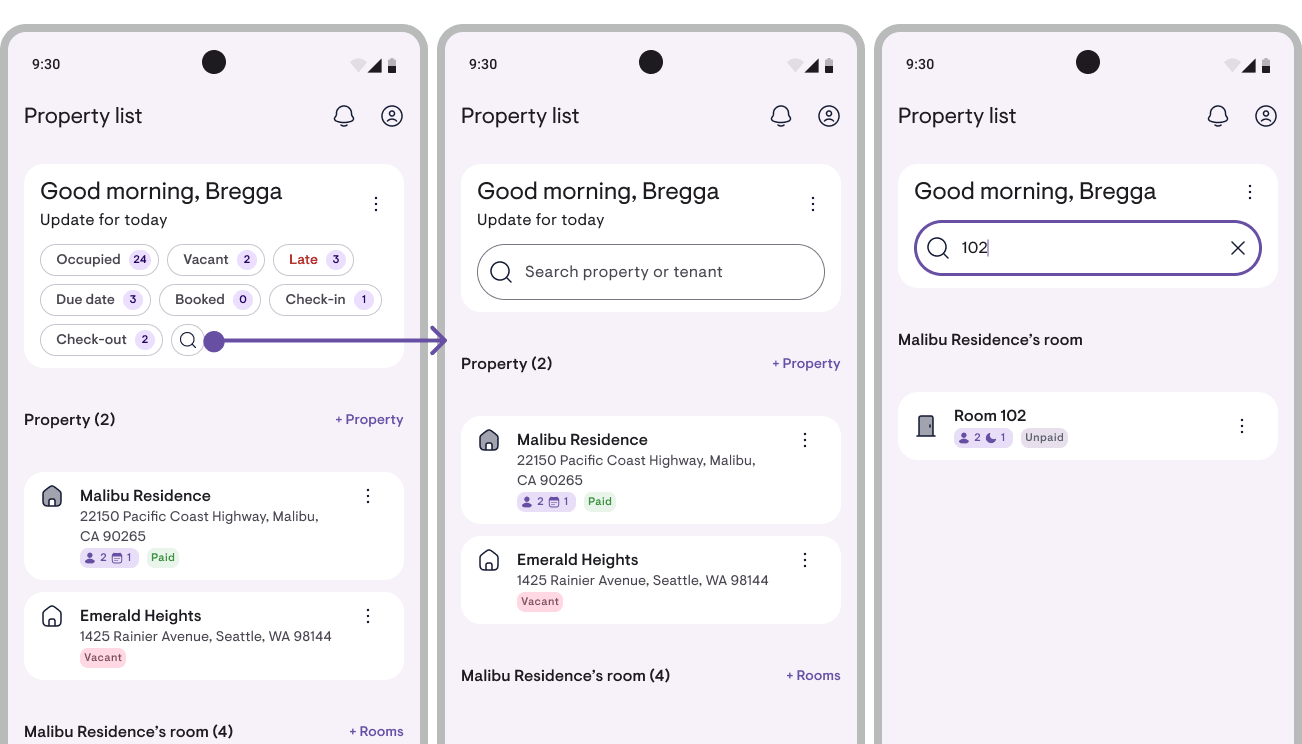
Tap the magnifier at the end of the filter row, at the top of the Properties page, then type a room number, a property name, or a tenant’s name. Free on every plan.
- Tenants can also be found by phone number, email, or ID number
- A room that shows up because of its tenant is labelled, for example Matches: Budi Santoso
- Covers current tenants and bookings. Past tenants are found on the Tenants tab
Rescan ID
Read a tenant’s saved ID photo again to fill in their details. Open Edit tenant → More → Rescan ID, or the Info tab → Actions. Available from Pro.
- Empty fields are filled in straight away
- Where the scan differs from what’s saved, pick which one to keep on Review scan result
- Nothing changes until you tap Save
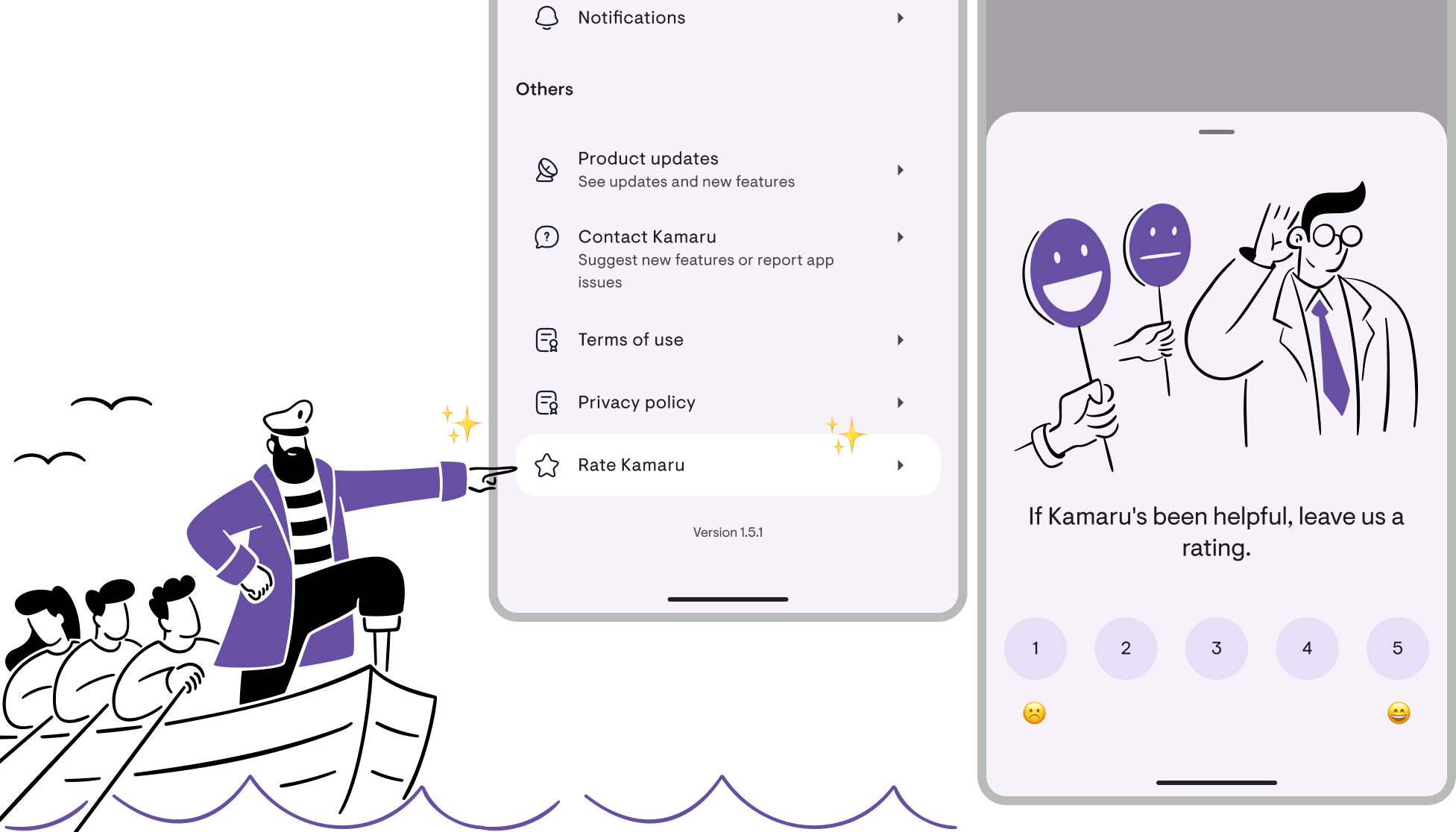
Have an idea for a feature? Send it via Profile → Contact Kamaru → Request a feature. If this update helps, a review in the store goes a long way.
Bregga / founder of Kamaru
Have questions or feedback? We'd love to hear from you. Email us.

Start managing for free today
Join other landlords who are already using Kamaru to manage their properties.

