Send invoices via WhatsApp
How to send rent invoices to tenants via WhatsApp from Kamaru, plus email, copy message, and PDF attachment options.
Every invoice in Kamaru can be sent straight to the tenant on WhatsApp, with the message auto-drafted from invoice data. This guide shows the flow.
Open the invoice you want to send
- Open the tenant’s details
- Choose the Invoices tab
- Tap the invoice you want to send
Choose Send
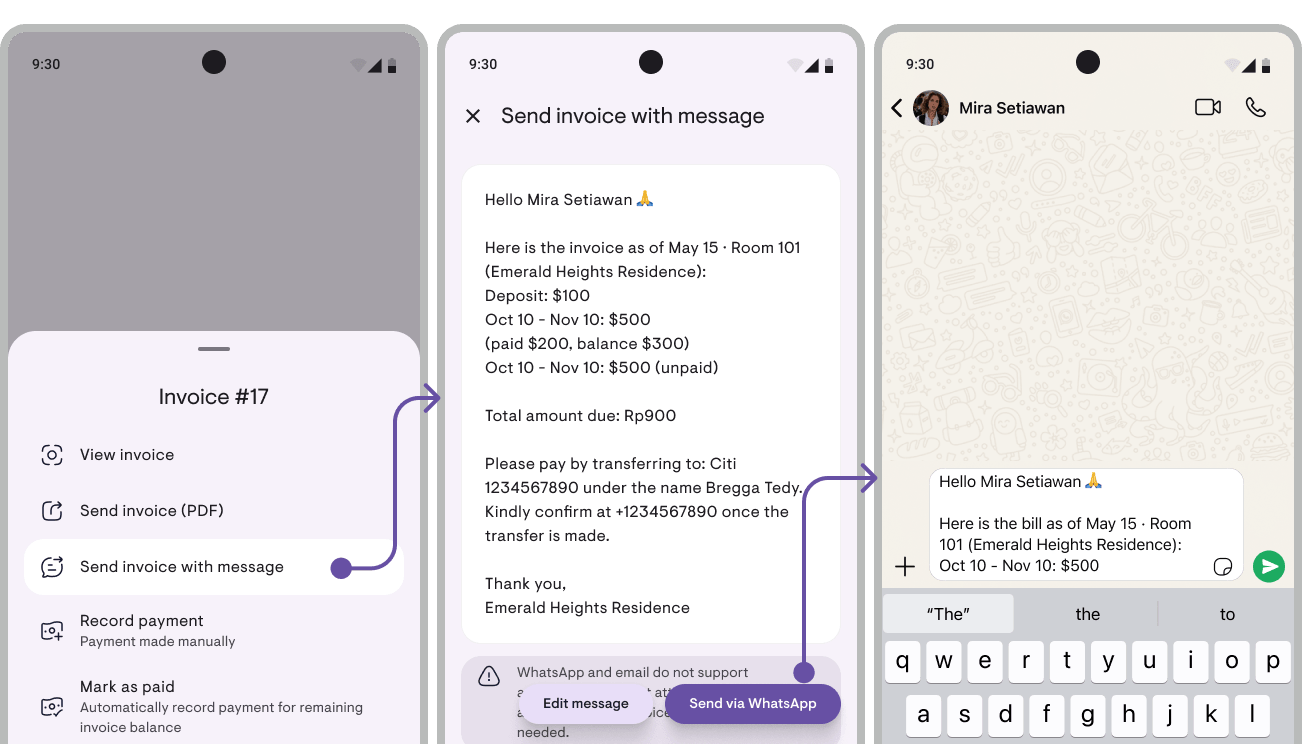
Tap Actions › on the invoice → Send invoice with a message. Kamaru opens a preview screen with the message already drafted from invoice data. (If you just want to share the PDF without a message, there’s a separate Share invoice (PDF) option on the same menu.)
Edit the message if needed
The default message contains:
- Tenant name + room number
- Per-item breakdown (rent for period X, down payment, deposit, extra charges)
- Partial payment status (if any)
- Total + due date
- Account details (Bank accounts & e-wallets list, auto-filled from settings)
- Sender identity (name + number)
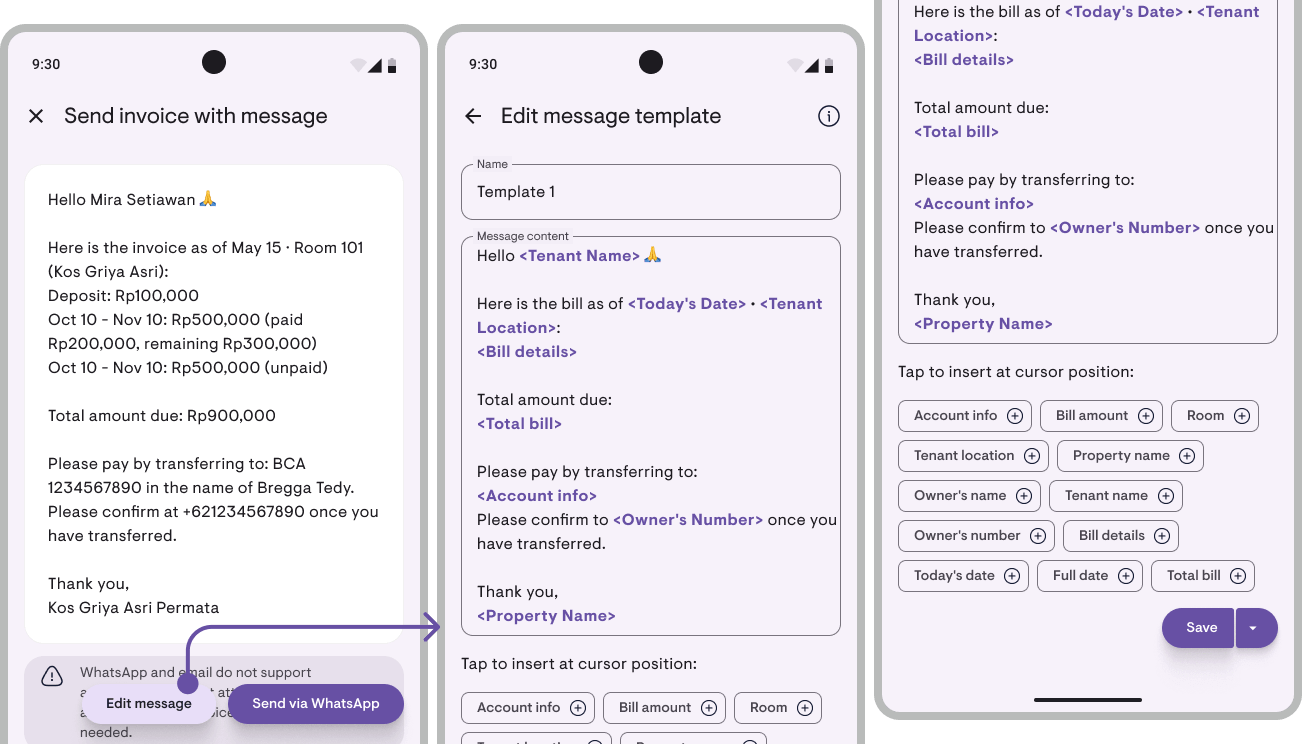
To customise, tap Edit and adjust the default template. This template applies to every invoice, so you only set it up once. Permanent edits are available under Settings → App settings → Message template.
Set up Bank accounts & e-wallets once at the start. Open Message template → Bank accounts & e-wallets and add your bank accounts and e-wallets. The Account details placeholder in the template auto-fills with this list on every billing, so you never retype an account number.
Share with the tenant
Tap Share › and pick a channel:
- WhatsApp, opens the tenant’s chat with the message pre-filled. Just hit send.
- Email, opens your mail app with the tenant’s address, subject, and body.
- Copy message, copies to clipboard to paste anywhere.
- More, your phone’s system share sheet (Telegram, SMS, etc.)
Attach the official PDF
Every invoice can be generated as an A4 PDF containing the invoice number, itemised lines, status, a PAYMENT DETAILS block (list of Bank accounts & e-wallets), plus the property identity, name, address, logo (if uploaded), short description, and property contact number.
On the Send invoice screen, scroll to the PDF section → preview in-app first → share through the same channels.
Notes
- Tenants without a saved WhatsApp number: still reachable via Email or Copy message.
- After sending, the invoice status stays Unpaid until payment is recorded. Log payments through payment tracking.
Next
- How to send rent invoices via WhatsApp (+ message templates), related article with 4 template examples plus persuasion tips
Have questions or feedback? We'd love to hear from you. Email us.

Start managing for free today
Join other landlords who are already using Kamaru to manage their properties.

