Late payment notifications
How to enable automatic late payment notifications in Kamaru, set the grace period, and manage the notification list.
Kamaru automatically checks every morning to see which tenants are past their due date, then sends you a summary notification. This guide shows how to enable it.
Enable notifications
- Open Settings from the profile menu
- In the Notifications section, turn on the “Late-paying tenants” toggle
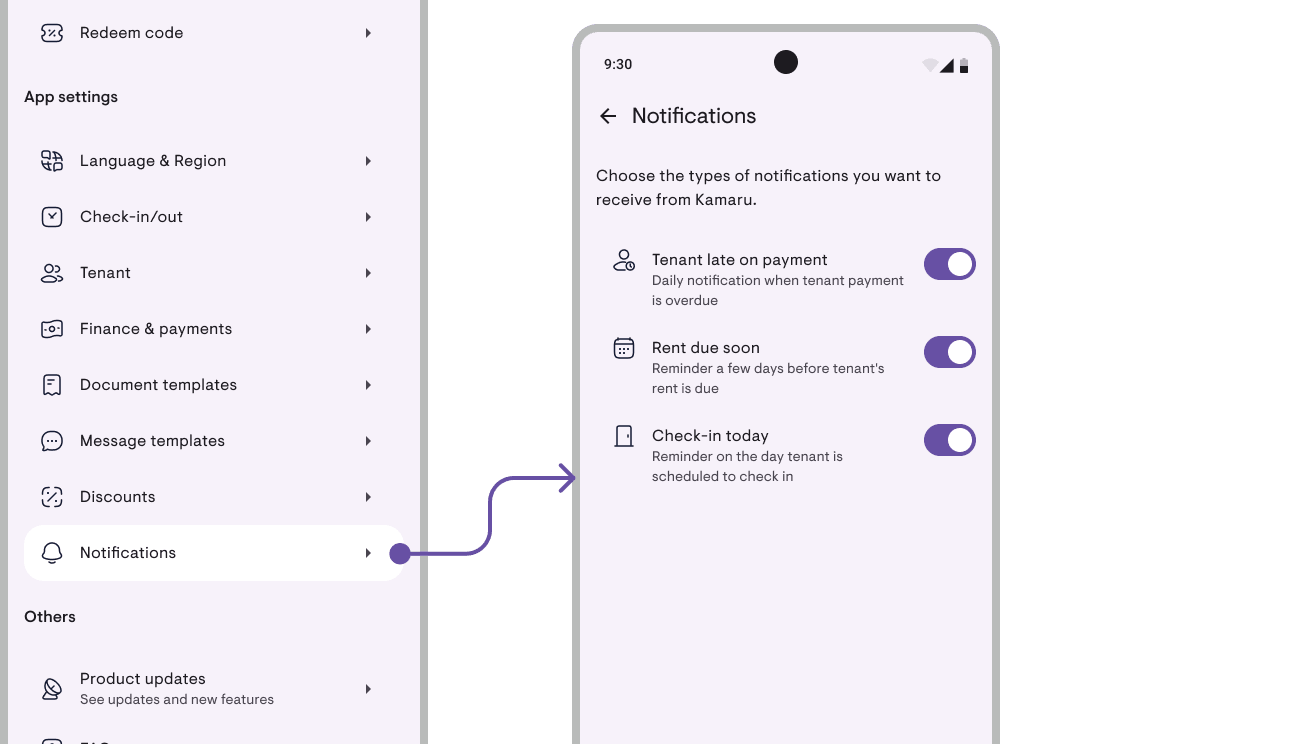
Once enabled, the daily check runs around 8 AM. No one late → no notification.
Set the grace period
The grace period is how many days of tolerance after the due date before a tenant is counted as late.
- Open Settings
- In the Grace period section, enter the number of days (e.g. 3)
- Save
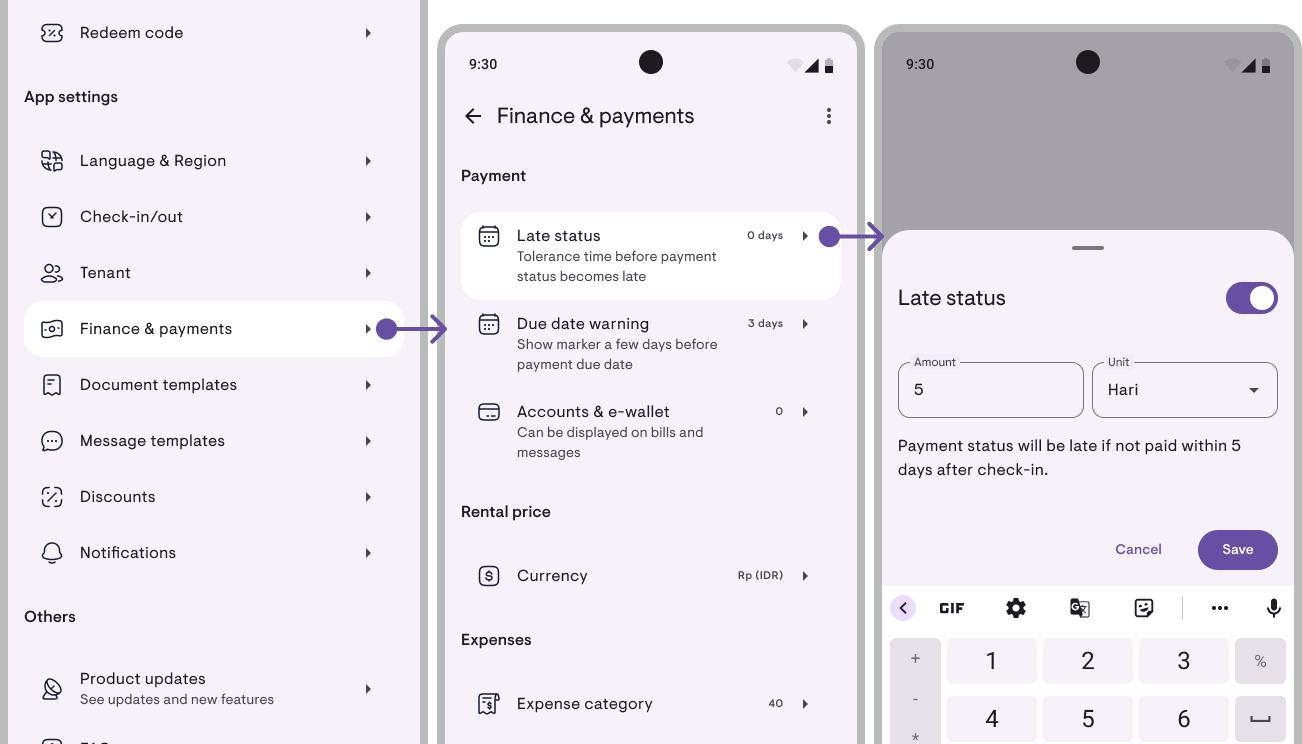
This setting is global, used across every feature that calculates arrears status, so it stays consistent across screens.
Reading notifications
- Push notification appears when someone is late
- Bell with a badge on the main screen shows the unread notification count
- Notification list (open from the bell icon) keeps the history
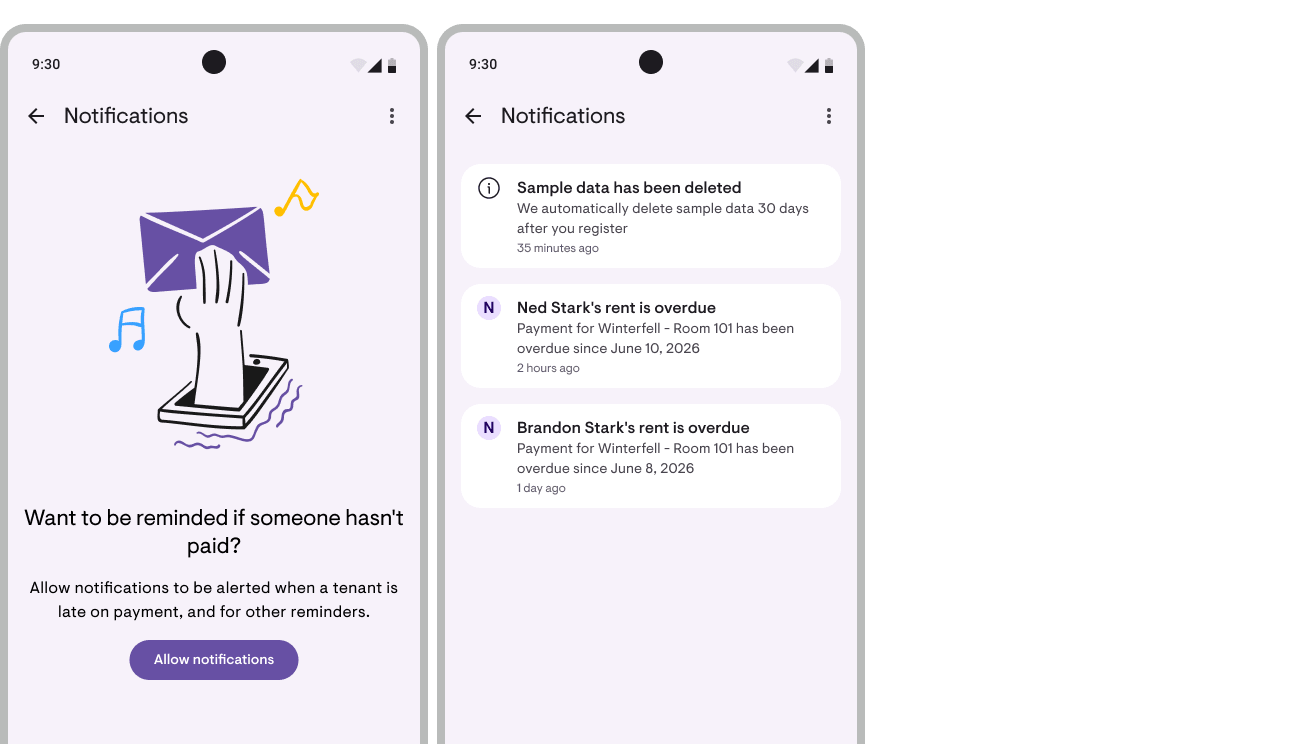
Notifications are grouped per check: if one tenant is late, the title reads “Andy’s rent is late”. If more than one, it becomes “Andy and N other tenants are late”.
Follow-up
Tap a notification → you’re taken straight to that tenant’s details. From there you can see the invoice and send a reminder to the tenant.
Managing the notification list
In the notification list you can:
- Mark items read / unread individually
- Delete notifications that are no longer relevant
- “Mark all as read” in one action
Disabling
Return to Settings → Notifications and turn off the toggle. Other features keep working normally.
Next
- Payment tracking, track incoming payments
- Automatic reminders for late-paying tenants, related article on why early detection matters
Have questions or feedback? We'd love to hear from you. Email us.
Start managing for free today
Join other landlords who are already using Kamaru to manage their properties.

