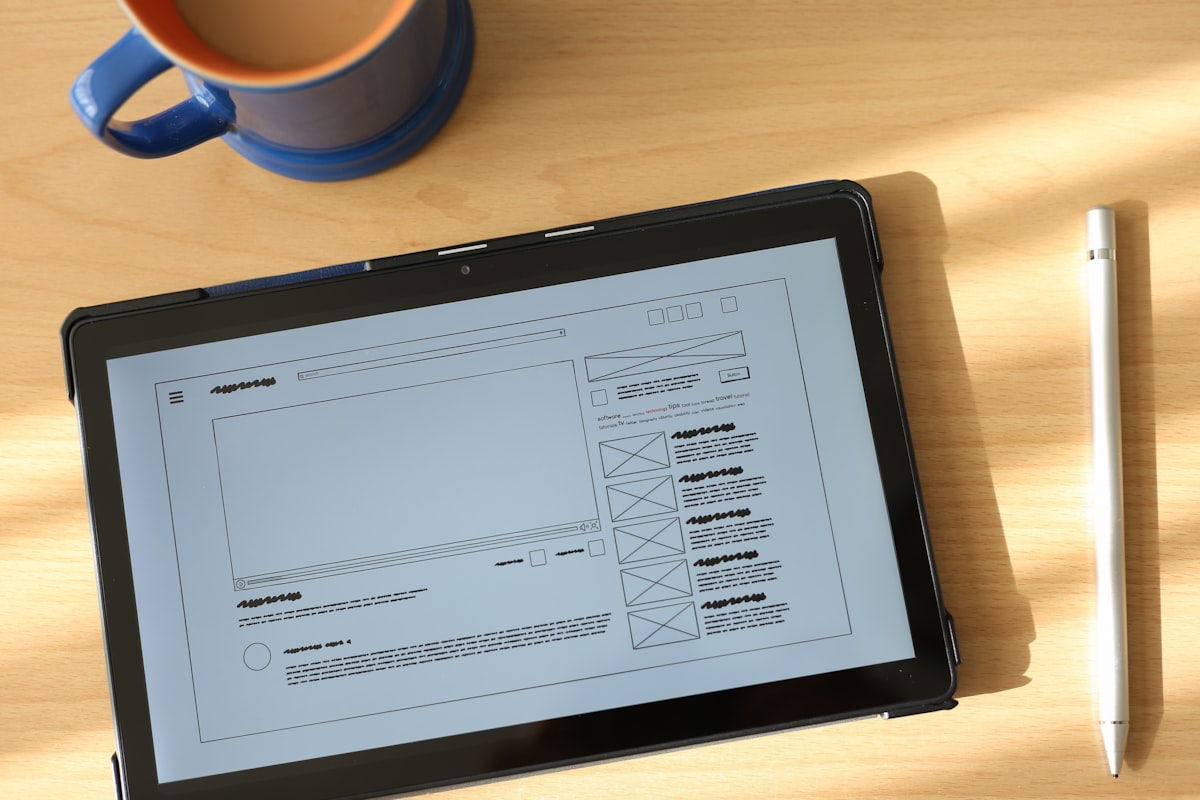
The complete guide to managing tenant documents digitally
Learn how to manage tenant documents digitally—from IDs and lease agreements to payment receipts. Save time, reduce the risk of lost data, and run your rental property more professionally.
Tenant ID photos scattered across your phone gallery, mixed in with personal pictures. Payment receipts piling up in a desk drawer. Lease agreements scribbled on paper and filed away somewhere you can’t quite remember. If this sounds familiar, you’re not alone—and it’s time for a change.
Managing tenant documents manually isn’t just inefficient, it’s risky. One lost piece of paper could mean losing proof of payment. One accidentally deleted ID photo means asking your tenant again. And when a tenant asks “When does my lease end?”, you’re digging through folders trying to find the answer.
In this guide, you’ll learn how to manage all your tenant documents digitally—from identity documents, lease details, and payment records—in a system that’s organized, secure, and accessible anytime from your phone.
Tenant documents you need to manage
Before we get into the how, let’s identify what documents you typically need to keep for each tenant.
1. Identity documents
These are the most fundamental and essential:
- National ID card — Government-issued identity card (e.g., KTP in Indonesia, MyKad in Malaysia, Aadhaar in India)
- Driver’s license — A common alternative form of identification
- Passport — For foreign tenants or expats
- Residence permits — Work or stay permits for non-citizens (e.g., KITAS/KITAP in Indonesia)
2. Tenant photos
A face photo of your tenant is useful for:
- Verifying identity at check-in
- Visual reference if issues come up later
- Helping landlords with many tenants keep track of who’s who
3. Lease records
Key details of the rental agreement that need to be documented:
- Check-in and check-out dates
- Rental price and payment frequency
- Security deposit or advance payment
- Special terms (e.g., no pets, quiet hours)
4. Payment records
Financial transaction history:
- Monthly rent payments
- Initial deposit
- Additional charges (electricity, water, internet)
- Maintenance and repair expenses
5. Important communications
Evidence of agreements or notices:
- Rent price changes
- Rule violation warnings
- Lease renewal confirmations
Problems with manual document management
Many landlords still rely on traditional methods to manage tenant documents. Here are the common issues that come up:
ID photos mixed with personal photos
You photograph a tenant’s ID, then it sits in your phone gallery alongside thousands of personal photos. When you need to find it, you’re scrolling endlessly. And there’s always the risk of accidentally deleting it when clearing phone storage.
Paper gets lost or damaged
Payment receipts, lease agreements, and other important records can get lost, water-damaged, or destroyed. When a dispute arises with a tenant, you’ve lost the evidence you need.
Data scattered across multiple places
Photos in your gallery, notes in a notebook, payments in a spreadsheet, lease contracts in a plastic folder. When you need a complete picture of one tenant, you’re opening 4-5 different sources.
No backup
If your phone breaks, gets lost, or gets reset, all your tenant ID photos and records go with it. Paper documents destroyed by fire or flooding can’t be recovered either.
Hard to search and access
Finding a specific tenant’s data from stacks of physical documents takes time. Especially when you’re managing dozens of rooms with high tenant turnover.
Benefits of managing documents digitally
Switching to a digital system isn’t just about following trends—there are real, immediate benefits.
All data in one place
No more switching between your gallery, notebooks, and spreadsheets. All tenant information—identity, lease details, payments—is stored in one app and accessible in seconds.
Automatic cloud backup
Data is stored in the cloud and automatically backed up. Phone lost? Just log in on a new device and everything is still there.
Fast search
Need a specific tenant’s data? Just type their name or room number. No more digging through drawers or scrolling through photo galleries.
Better security
Digital data can be encrypted and protected with authentication. Far more secure than paper documents that anyone can access.
Save time and effort
Automatic data entry (like ID scanning), digital payment recording, and quick access save significant time every month.
How to manage tenant documents digitally
Here are practical steps to start digitizing your tenant documents using Kamaru.
Step 1: Digitize identity documents
This is the foundation of digital document management. Every new tenant should have their identity document stored digitally.
With automatic ID scanning (recommended):
- When adding a new tenant, tap “Scan ID”
- Point your camera at the tenant’s ID card, driver’s license, or passport
- AI automatically extracts data: name, ID number, address, date of birth, and more
- Review the results, correct if needed, then save
The advantage: data is filled in automatically, the ID photo is stored in the tenant’s profile (not in your phone gallery), and the whole process takes just 2 minutes.
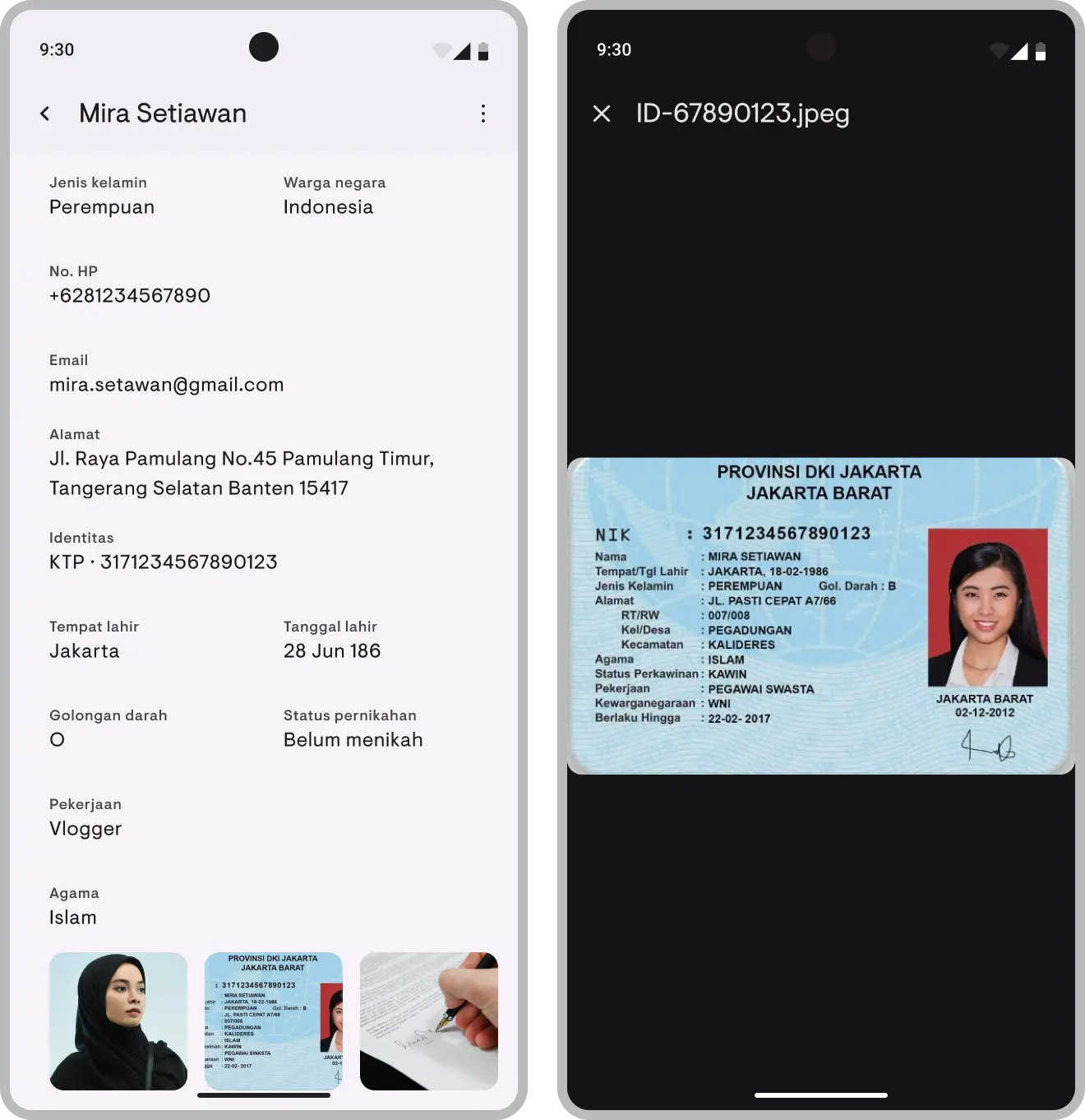
Tip: Make sure the ID photo is taken in good lighting with the card lying flat for the best scan results. Read the complete ID scanning guide for detailed tips.
For existing tenants:
If you already have tenants whose data is still managed manually, you can update their profiles anytime. Open the tenant profile, add their ID photo, and fill in any missing information.
Step 2: Record lease details digitally
Every time you add a tenant in Kamaru, lease details are automatically recorded:
- Check-in date — When the tenant starts occupying the room
- Rental price — The agreed amount
- Payment period — Daily, weekly, monthly, or yearly
- Check-out date — Can be filled in when the tenant is leaving
All this information is stored in the tenant’s profile and accessible anytime. No more searching for paper contracts.
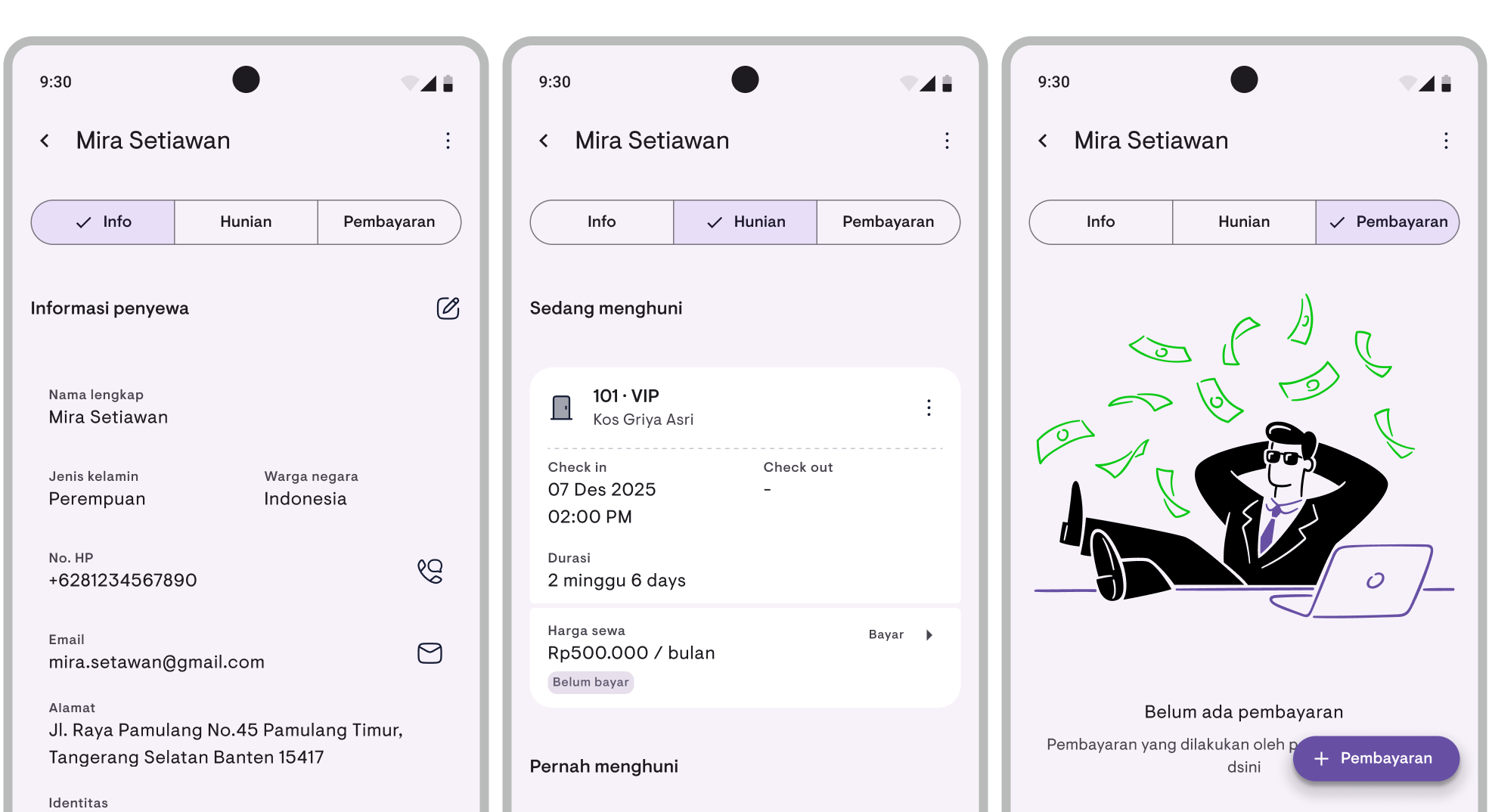
Important: Always update the check-out date when a tenant leaves. This helps you track room occupancy history and generate accurate financial reports.
Step 3: Manage payments digitally
Payment receipts are the documents most often needed and most often lost. By recording payments digitally, you eliminate this problem entirely.
In Kamaru, you can:
- Record every payment — Amount, date, and payment method
- View payment status — Who has paid, who hasn’t
- Access full history — All transactions are stored and viewable anytime
No more arguments about “I already paid last month” because everything is clearly documented.
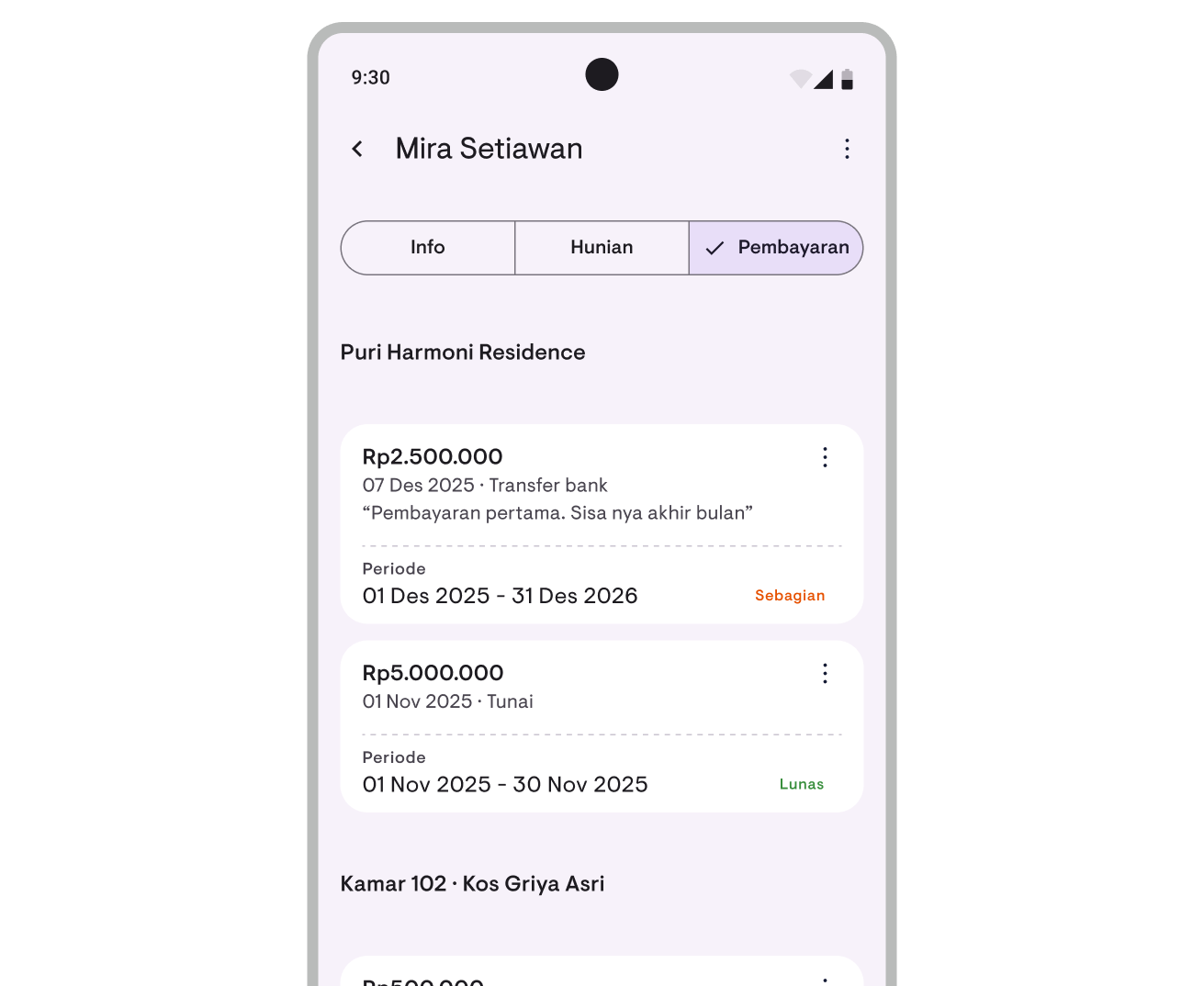
Learn how to use this feature in the payment tracking guide.
Step 4: Use financial reports
From the payment and expense data you’ve recorded, you can generate financial reports that give you a complete picture of your property’s financial health.
These reports serve as digital financial documents that include:
- Total rental income
- Total operational expenses
- Net profit per property
- Revenue trends over time
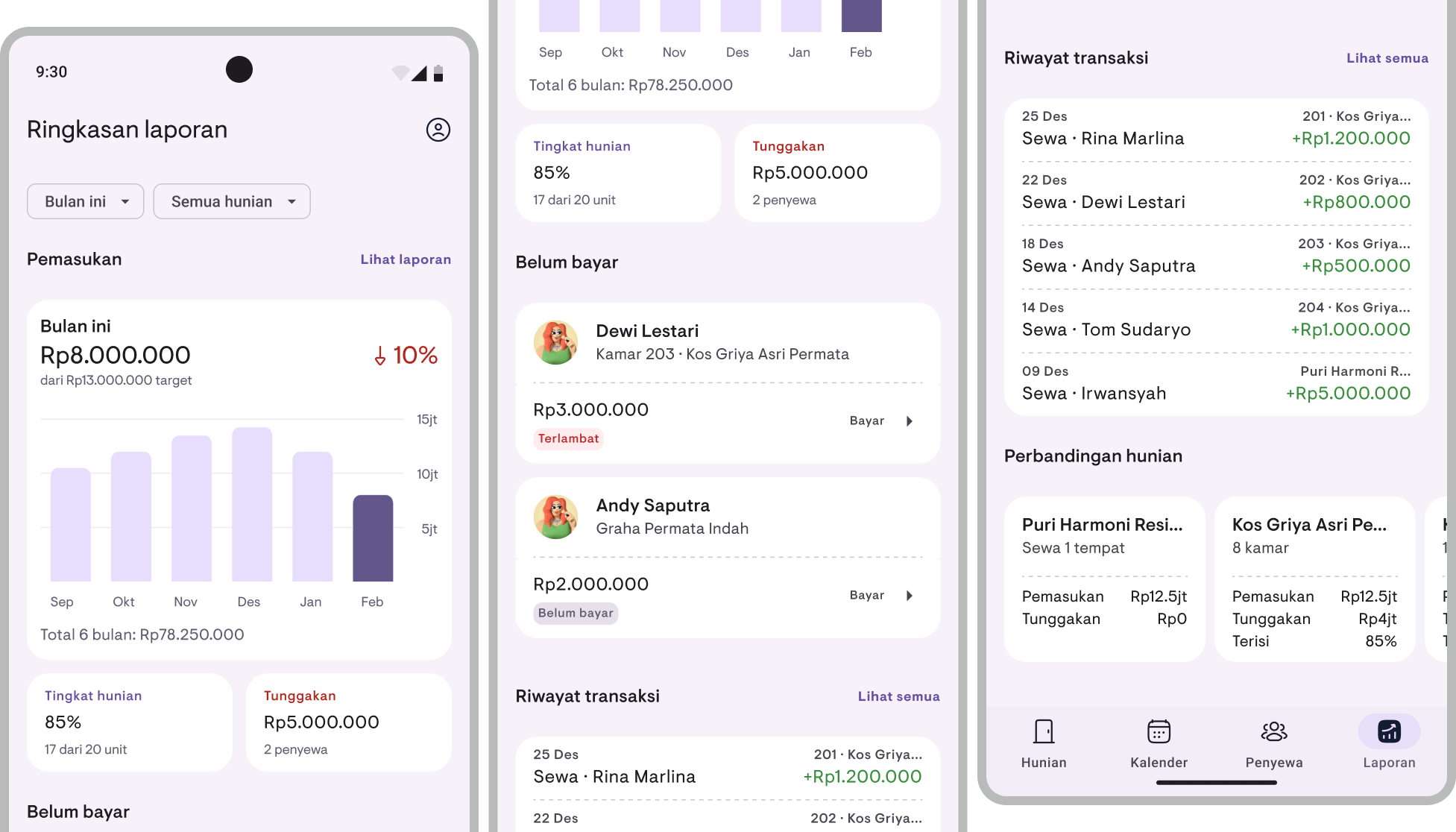
Read the financial report guide for more details.
Step 5: Monitor occupancy with the calendar
The occupancy calendar helps you visualize room status and tenant contracts in an easy-to-read format. It’s a digital operational document that replaces whiteboards or room schedule spreadsheets.
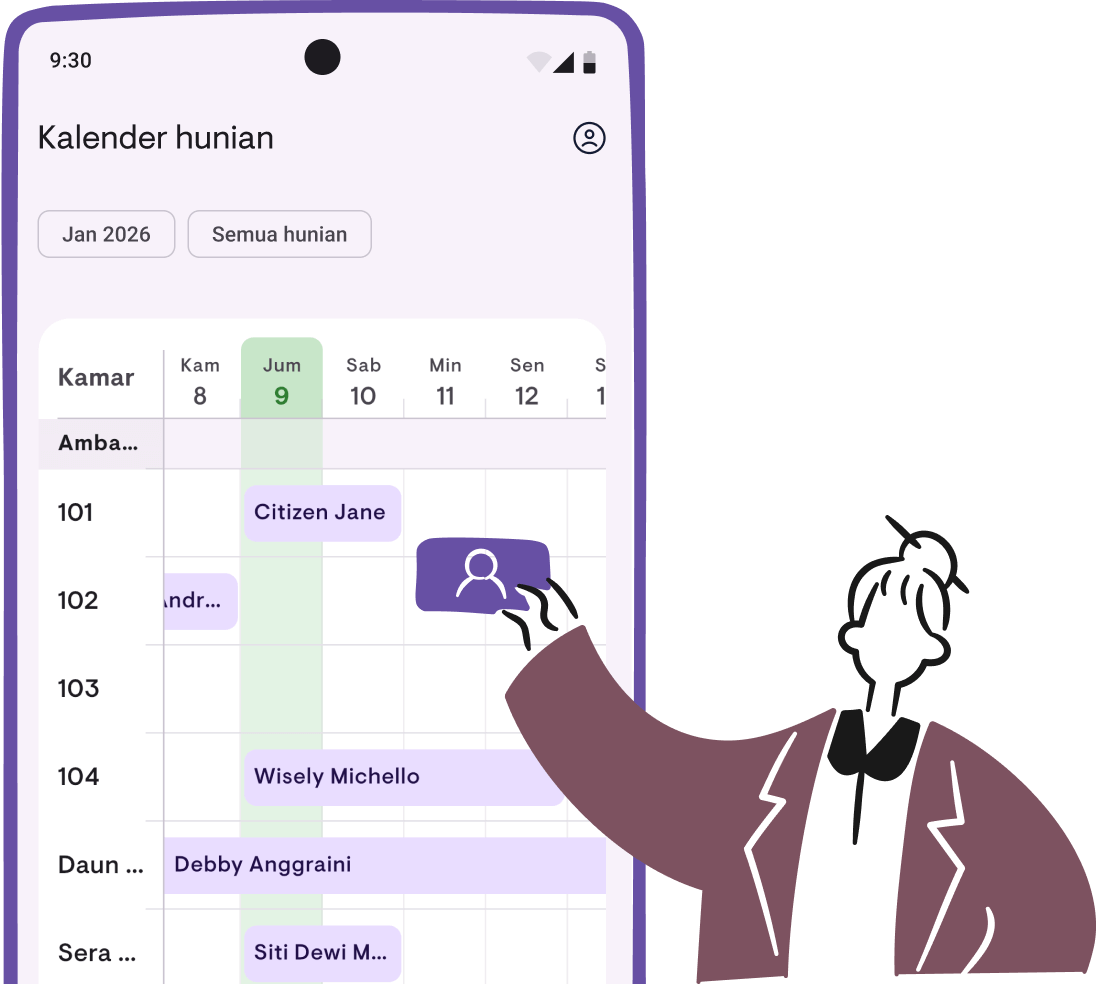
Learn more in the occupancy calendar guide.
Digital document checklist per tenant
Use this checklist to make sure every tenant has complete documentation:
| Document | Status | How to get it |
|---|---|---|
| ID card photo | Required | Scan ID when adding tenant |
| Face photo | Recommended | Take photo at check-in |
| Lease details | Required | Automatically recorded when adding tenant |
| Payment history | Required | Record each payment as it comes in |
| Expense records | Recommended | Log maintenance and operational costs |
Digital document security tips
Managing tenant documents digitally means you’re also responsible for their data security. Here are key tips:
Use an encrypted app
Don’t store sensitive tenant data in a regular notes app or an unprotected gallery folder. Kamaru uses AES-256 encryption to protect all data—both at rest and in transit.
Keep your account secure
- Use a strong password for the Google/Apple account you use to log in
- Enable two-factor authentication (2FA) on your account
- Don’t lend your logged-in phone to others
Understand data privacy regulations
As a landlord storing tenant identity data, you have a responsibility to:
- Keep tenant data confidential
- Not share data with unauthorized parties
- Delete tenant data that’s no longer relevant (as appropriate)
Use cloud backup
Data stored on only one device is vulnerable to loss. By storing in the cloud, your data is automatically backed up and accessible from other devices if needed.
Migrating from manual to digital
Already have many tenants with data still stored manually? Here’s a practical migration strategy:
Start with new tenants
You don’t have to digitize everything at once. Start by recording every new tenant digitally. Use ID scanning for registration and record their payments in the app.
Digitize existing tenants gradually
For tenants you already have, prioritize based on:
- Tenants whose leases are expiring — When they renew, enter their data digitally
- Tenants who frequently pay late — So their payment tracking is clearer
- New move-ins — Scan their ID and enter data from the start
Don’t discard physical documents immediately
After digitizing data, keep physical documents for 3-6 months as a transition backup. Once you’re confident the digital data is complete and accurate, physical documents can be safely disposed of.
Common mistakes to avoid
Storing ID photos in your phone gallery
Your phone gallery isn’t a safe place to store identity documents. Photos can be accidentally deleted, mixed up with other photos, or seen by someone who borrows your phone. Store them in an app designed for that purpose.
Not recording payments in real-time
Delaying payment recording is the start of chaos. Make it a habit to record payments right away—when the tenant transfers or pays cash.
Not reviewing regularly
Digital data that’s never reviewed can become inaccurate. Set aside time each month to check tenant data, payment statuses, and upcoming lease expirations.
Relying on a single source
Even though cloud backup is highly reliable, make sure you have access to the account you use. Keep your login email and password stored securely somewhere.
Conclusion
Managing tenant documents digitally is no longer optional—it’s a necessity. With more tenants to manage and higher expectations for professional property management, manual systems simply don’t cut it anymore.
The good news is that digitizing doesn’t have to happen all at once. Start with simple steps: scan new tenants’ IDs, record payments digitally, and take advantage of cloud backup. Over time, you’ll see just how much more efficient digital document management is compared to the old way.
Ready to start managing tenant documents digitally? Download Kamaru for free and experience the difference today.
Related articles
Have questions or feedback? We'd love to hear from you. Email us.

Start managing for free today
Join other landlords who are already using Kamaru to manage their properties.

